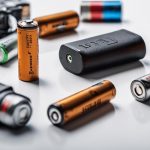

Spy camera wearables combine a camera with an item designed to be worn, such as a watch, body-mounted device, or pair of glasses. Their small form factor can be useful for hands-free documentation, personal safety, workplace records, or other lawful recording purposes. However, a wearable camera should never be used to secretly record people where consent is required or where privacy is reasonably expected.
Common Types of Camera Wearables
Different designs suit different recording situations. Understanding the strengths and limitations of each type can help you choose a device responsibly.
- Watch-style cameras: These integrate a camera into a smartwatch-like housing. They can be convenient to operate from the wrist, although the camera’s viewing angle may be limited by how the watch is worn.
- Body-worn cameras: These are usually attached to clothing, a strap, or a harness. They provide hands-free recording and can be practical when both hands are occupied.
- Camera glasses: A camera is built into the frame, allowing footage to be captured from approximately the wearer’s line of sight. Comfort, lens placement, and recording indicators are important considerations.
Key Features to Compare
Video quality
Resolution affects how clearly faces, documents, and surroundings appear in the recording. A device supporting 1080p may provide clear everyday footage, while higher resolutions can require more storage and processing power. Check whether the advertised resolution applies to the actual recorded file rather than only to a marketing or preview mode.
Battery and recording time
Battery capacity determines how long the wearable can operate between charges. Continuous recording generally consumes more power than shorter clips or motion-triggered modes. Consider the length of a typical session, charging time, and whether the battery is replaceable or can be supplemented with an approved power source.
Storage
Some wearables use built-in memory, while others accept a memory card. Confirm the supported card type and maximum capacity before purchasing. Higher-resolution recordings use more space, so regularly transferring important files can prevent the device from stopping when storage is full.
Comfort and controls
A wearable should remain comfortable during the entire recording period. Look for secure attachment, manageable weight, accessible buttons, and clear status indicators. Simple controls reduce mistakes, particularly when the device must be started or stopped quickly and lawfully.
Using a Wearable Camera Responsibly
Before recording, read the device instructions and test the camera in the environment where it will be used. Check the date, time, audio settings, battery level, and available storage. Make sure the lens is clean and that the camera is securely mounted so the footage is stable and unobstructed.
Use the recording mode that matches the legitimate purpose. Short, clearly defined clips can make files easier to manage than continuous recording. If a device has a visible recording indicator, do not disable it to conceal recording. Keep the camera pointed only at areas you are permitted to document, and avoid capturing private conversations or spaces without the required consent.
Privacy and Legal Considerations
Rules for cameras, audio recording, consent, workplaces, schools, and public locations vary by jurisdiction. Audio recording can have additional requirements, and recording in a public place does not automatically make every use lawful. Before using a wearable, identify the applicable local rules and any policies set by a property owner, employer, event organiser, or other authority.
Responsible use also includes protecting the people who appear in your recordings. Tell participants when disclosure or consent is required, avoid collecting irrelevant footage, and do not share recordings merely because they are easy to distribute. If the camera is used for work or security, establish who may access files, how long they will be retained, and when they should be deleted.
Maintenance and Troubleshooting
- Charge the device according to the manufacturer’s instructions and avoid exposing it to unsuitable heat, moisture, or impact.
- Clean the lens with a soft, lint-free cloth rather than abrasive materials or excessive liquid.
- Check the memory card and available space if recording stops unexpectedly.
- Confirm that the battery is charged and that the recording control has been activated if no file is created.
- Transfer important footage to secure storage and keep the original device protected from unauthorised access.
- Store the wearable in a case or dry, dust-free location when it is not being used.
Making an Informed Choice
The best spy camera wearable is not necessarily the smallest or most feature-heavy model. Prioritise suitable video quality, dependable battery life, adequate storage, comfortable wear, straightforward controls, and transparent recording practices. Most importantly, use the device for a clear, lawful purpose and treat recorded information as sensitive personal data.