
Wearable cameras can make hands-free recording more convenient, but discreet design also creates serious privacy and legal responsibilities. A device that blends into clothing or accessories should never be used to record people secretly, capture private conversations without permission, or bypass security rules. Before choosing any wearable camera, check the laws that apply where you live and obtain consent whenever recording could identify another person.
With that principle in mind, the following ten form factors explain how wearable cameras are commonly designed and what to consider when evaluating them for lawful documentation, personal safety, journalism with appropriate permissions, or other legitimate uses.
1. Glasses with an integrated camera
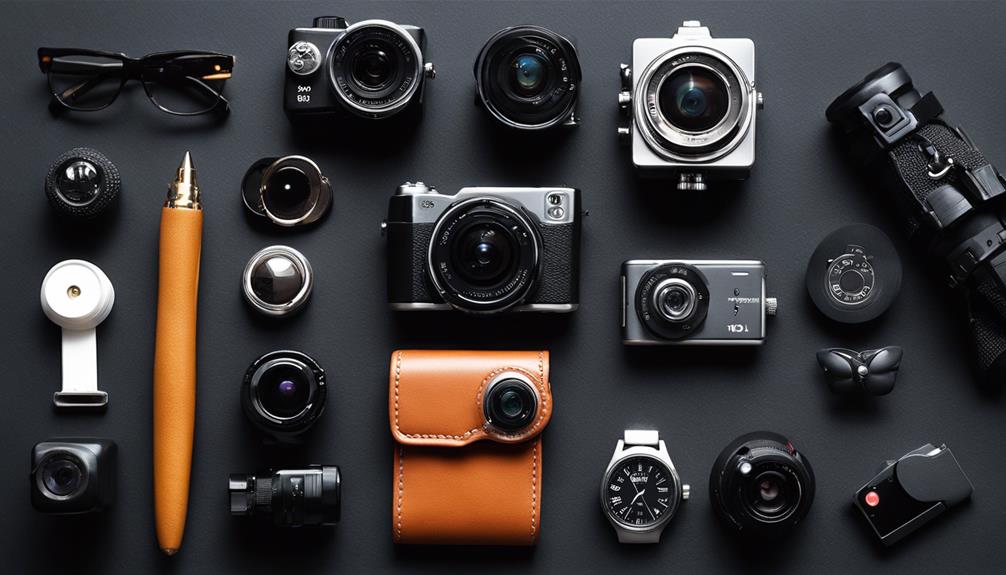
Camera glasses place the lens within the frame, providing a natural, hands-free viewpoint. They may be useful for documenting activities from the wearer’s perspective, although their ordinary appearance can make consent less obvious. Look for a clear recording indicator and use them only where recording is permitted.
2. Smartwatches with recording features
A smartwatch can be convenient when you need a compact device on your wrist rather than a phone or handheld camera. Depending on the model, it may support video, still images, audio, or control of another camera. Battery life, screen controls, storage, and the visibility of recording notifications are important considerations.
3. Pen-style cameras
Pen-shaped cameras are small and easy to carry, which is why they are often marketed for discreet documentation. Their design can also create confusion about whether recording is taking place. Use a conventional visible camera instead whenever possible, and avoid recording meetings, conversations, or private spaces without clear permission.
4. Tie-clip cameras
A tie-clip camera is designed for formal clothing and can provide a stable, chest-level viewpoint. For legitimate use, evaluate how clearly the device signals that it is active, how it attaches to clothing, and whether the footage can be secured after recording.
5. Button-style cameras
Button cameras are intended to sit close to a shirt or jacket and blend into the garment. This makes them particularly sensitive from a privacy standpoint. If a camera is used in a workplace, event, or interview, explain its presence in advance and follow the organisation’s recording policy.
6. Keychain cameras
A keychain camera is portable and easy to keep with everyday belongings. It may suit short, openly disclosed recordings when carrying a larger camera is inconvenient. Check the controls carefully so the device cannot begin recording accidentally, and protect any stored footage with appropriate access controls.
7. Hat or cap cameras
A camera integrated into a hat can provide a hands-free viewpoint while walking or attending an activity. The position may capture a wide field of view, so bystanders could be recorded unintentionally. Avoid using this format in private venues or sensitive situations unless everyone affected has agreed.
8. Necklace or pendant cameras
Necklace-style devices are worn at the centre of the chest and can be less cumbersome than handheld equipment. Their usefulness depends on lens position, stability, and whether the recording status is apparent. They should be treated like any other camera, not as a way to conceal recording from other people.
9. Belt-buckle cameras
A belt-buckle camera offers a waist-level perspective and leaves both hands free. This position may be practical for documenting a permitted activity, but it can also record people or areas without their knowledge. Consider whether a visible body camera or phone would provide the same benefit with fewer privacy concerns.
10. Watches with hidden lenses
Some watch-style devices are designed to resemble ordinary timepieces while incorporating a camera. Before considering one, check whether the design provides an obvious recording signal and whether its use is allowed in the intended setting. Recording audio is often subject to additional consent requirements, so do not assume that video permission covers sound.
What to check before choosing a wearable camera
- Consent and local law: Rules can differ for video, audio, public areas, workplaces, homes, and one-party or all-party consent situations.
- Recording indicator: Prefer devices that visibly show when recording is active.
- Battery and storage: Confirm that the device can complete the intended recording without losing footage.
- Data security: Use passwords, secure transfers, and careful storage for recordings containing personal information.
- Audio controls: Disable sound recording when it is unnecessary or not permitted.
- Venue policies: Concerts, offices, schools, courts, and private businesses may prohibit wearable cameras even where local law allows them.
Responsible use matters more than concealment
The best wearable camera is not necessarily the smallest or least noticeable. A visible, consent-based recording setup is usually easier to explain, safer for everyone involved, and less likely to create legal or ethical problems. Choose equipment based on the legitimate task, disclose recording clearly, and avoid using wearable cameras to conduct secret surveillance.