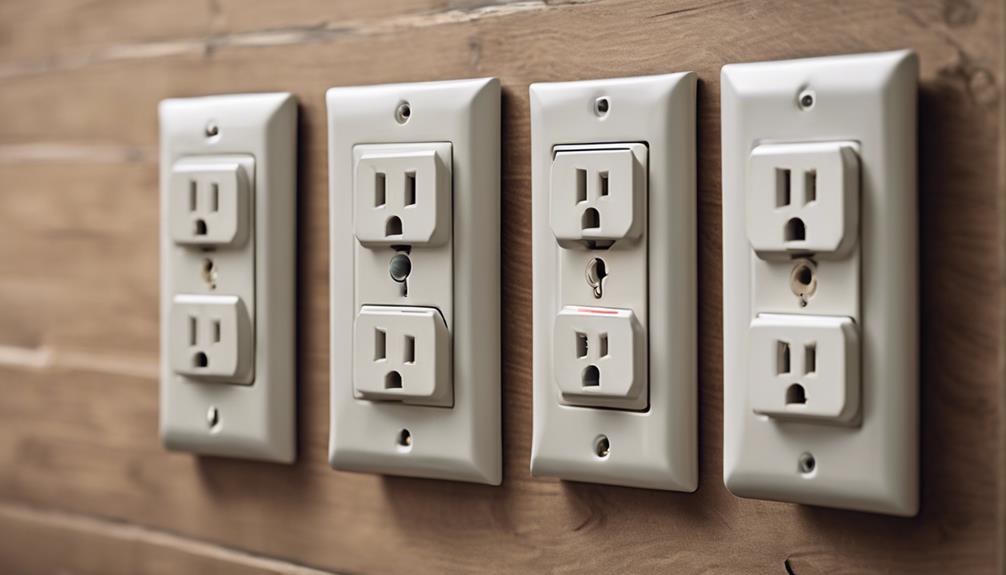

Power-receptacle-style cameras are designed to blend into the appearance of a standard wall outlet while providing a fixed view of an indoor area. Their built-in power source can be convenient for continuous monitoring, but choosing the right model requires more than comparing video resolution. Placement, privacy, electrical safety, storage, and app security all matter.
Use any indoor camera responsibly and follow applicable surveillance and recording laws. In many locations, recording audio has stricter requirements than recording video. Avoid placing cameras in areas where people reasonably expect privacy, such as bedrooms, bathrooms, or changing areas, and inform household members and visitors when monitoring is in use.
10 features to evaluate
1. Discreet but appropriate design
A receptacle-style camera should fit naturally into its surroundings without creating an obvious obstruction. However, discreet appearance should not be used to record people secretly or in private spaces. Choose a design that can be installed safely and, where required, clearly disclosed to the people being monitored.
2. Video resolution and image quality
Higher resolution can make faces, packages, and other details easier to identify, but resolution is only one part of image quality. Look for footage that remains clear across the camera’s viewing area, with acceptable performance in both bright and dim conditions. Check whether the camera produces excessive distortion around the edges of a wide-angle image.
3. Motion detection controls
Motion-triggered recording can reduce unnecessary footage and make important events easier to find. Useful controls may include adjustable sensitivity, activity zones, and notifications. Pets, changing sunlight, moving curtains, and other harmless activity can trigger false alerts, so the ability to fine-tune detection is valuable.
4. Remote viewing and account security
Some cameras allow live or recorded footage to be viewed through a phone or computer. Before relying on remote access, review how the manufacturer protects accounts and video data. Use a strong, unique password, enable multifactor authentication when available, secure your home Wi-Fi network, and install firmware updates offered by the manufacturer.
5. Night vision performance
Infrared night vision can help the camera record in low-light conditions without relying on visible illumination. Performance varies by model and room layout, so consider the distance to the subject, reflective surfaces, and whether the image remains detailed rather than merely visible. Test nighttime footage before depending on it for security.
6. Installation and electrical safety
Replacing an outlet or fitting a camera into a receptacle involves mains electricity. Turn off power at the circuit breaker and follow the product instructions precisely. If the installation requires electrical work beyond your experience, use a qualified electrician. Do not install a device that is loose, damaged, warm to the touch, or incompatible with the outlet and wiring.
7. Viewing angle and placement
A broad viewing angle can cover an entryway or common room with fewer blind spots. Position the camera to capture faces and access points without pointing it toward neighboring properties or private areas. Avoid placing furniture, decorations, or bright windows directly in the camera’s field of view, since these can reduce useful detail.
8. Storage and loop recording
Check whether recordings are stored on a memory card, in cloud storage, or both. Loop recording typically replaces older footage when available space is full, which supports continuous monitoring but may remove evidence you intended to keep. Set a review and backup routine, and examine subscription requirements before choosing a cloud-based system.
9. Smartphone app usability
An app should make it easy to view footage, adjust motion settings, receive alerts, and manage users. Look for clear privacy controls, dependable notifications, and a straightforward interface. Compatibility with your phone’s operating system is essential, as is knowing whether the camera continues recording if the app, internet connection, or cloud service is unavailable.
10. Audio recording options
Audio can add context to video, but it also creates significant privacy and legal concerns. Laws vary by jurisdiction and may require consent from one or more people being recorded. If audio is not necessary, consider disabling it. If it is needed for a lawful purpose, understand the applicable rules and disclose recording appropriately.
Before choosing a model
- Confirm that the device fits the intended outlet and electrical setup.
- Decide whether you need continuous recording, motion clips, or occasional live viewing.
- Review storage costs, retention limits, and export options.
- Check the manufacturer’s update policy and account-security features.
- Plan camera placement around privacy, consent, and local surveillance rules.
Final considerations
The best power-receptacle camera is not necessarily the one with the most features. It should provide usable video, dependable detection, secure access, and safe installation while respecting the privacy of everyone in the home. Compare these ten areas before buying, and use the camera as part of a broader security plan that may also include locks, lighting, alarms, and visible cameras where appropriate.