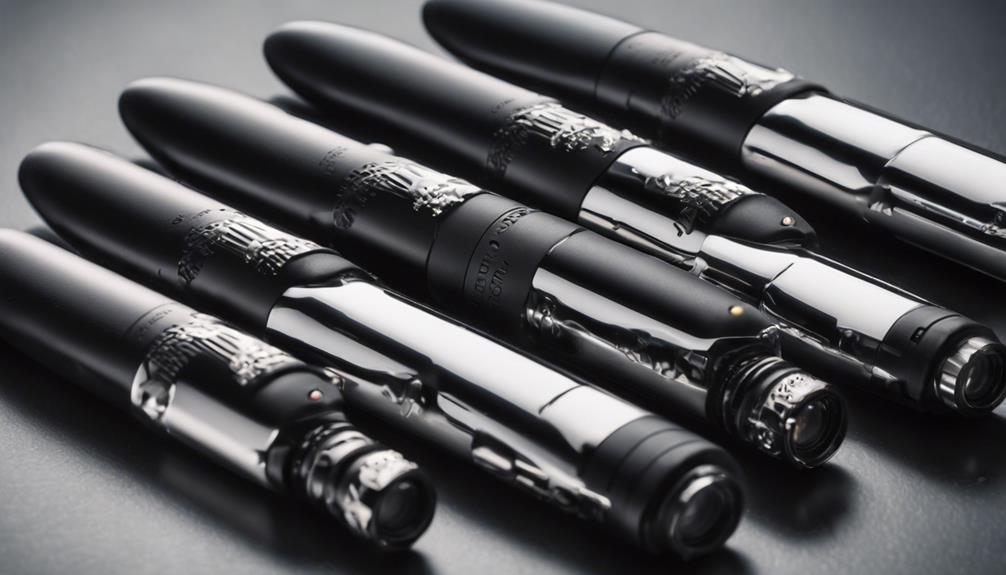

Pen-style cameras combine a familiar everyday form with video recording, and some models also include audio capture, infrared night vision, wireless connectivity, or motion-triggered recording. Because specifications and recording quality vary widely, it helps to compare the features that matter most rather than choosing solely by appearance.
Use any recording device responsibly. Recording people without their knowledge may violate privacy, workplace, or wiretapping laws, and audio rules can differ by location. Obtain consent where required and avoid using a pen camera in private spaces or for unlawful surveillance.
1. Low-light and night-vision performance
A pen camera advertised with night vision is intended for dim environments where a standard camera may struggle. Infrared illumination can help the sensor capture images in very low light, but it does not guarantee bright, detailed footage in every dark setting.
When comparing models, look for clear information about whether night vision is automatic or manually activated, whether the infrared light is visible, and how the camera performs in partial light. A sample video is more useful than a vague claim about “HD night vision.”
2. Video and audio recording quality
Resolution is only one part of recording quality. A camera also needs adequate lighting, stable positioning, and enough storage to preserve useful footage. If you need to document meetings, interviews, or notes with permission, check whether the device records sound clearly and whether the microphone placement is likely to be obstructed when the pen is clipped to clothing or placed on a desk.
Audio recording deserves particular care. In many places, recording a conversation requires the knowledge or consent of the participants. Confirm the applicable rules before using this feature.
3. Compact, ordinary-looking design
The main appeal of a pen camera is its portable form. A compact design can be convenient for lawful documentation, personal note-taking, or recording demonstrations when everyone involved understands what is happening. However, a smaller body may also mean smaller controls, reduced battery capacity, or more limited storage.
Check the clip, buttons, lens position, and indicator lights before buying. The lens should not be blocked when the pen is attached to a pocket, and the controls should be easy to operate without accidentally starting or stopping a recording.
4. Battery life and charging
Battery performance determines how practical a pen camera is for longer recording sessions. Compare the stated recording time with the way you plan to use the device, since video, audio, infrared illumination, and wireless features can all affect battery consumption.
Useful details include charging time, battery type, charging connector, and whether the camera can record while connected to power. Motion-triggered recording can reduce unnecessary footage, but it may not capture every event and should not be treated as a guarantee of continuous coverage.
5. Storage and file transfer
Before choosing a model, find out how recordings are stored and how they are transferred. Some devices use removable memory, while others connect to a computer through a cable or a companion application. Check the supported storage capacity, file format, and transfer method.
Simple file access can be more valuable than an extensive feature list. You should be able to copy recordings, review them, and delete them securely without relying on unclear software or an unreliable connection.
6. Wireless connectivity
Wireless models may offer convenient access to settings or recorded files, and some may support remote viewing. These features can make setup easier, but they also introduce questions about network security, app permissions, and the handling of recorded data.
If wireless access is important, review the connection method, supported devices, password controls, and privacy information before purchase. Disable remote access when it is not needed, and avoid connecting a recording device to networks you do not control.
7. Ease of operation and everyday reliability
A pen camera should have straightforward controls, clear status indicators, and dependable recording. One-button operation can be useful when you need to start a permitted recording quickly, while a timestamp setting can help organise files later.
Also consider durability, the quality of the pen mechanism, included accessories, warranty terms, and the availability of instructions. A stylish appearance is helpful only if the device remains comfortable to carry and simple to use.
Buying checklist
- Confirm the video resolution and low-light performance with real sample footage.
- Check audio quality and follow local consent requirements.
- Compare realistic battery life, charging time, and storage capacity.
- Review how files are transferred and whether the required software is supported.
- Consider wireless security, privacy settings, and app permissions.
- Test the lens position, recording controls, and indicator lights.
- Use the camera only for lawful, transparent, and consent-based recording.
Final considerations
The best pen camera is not necessarily the one with the longest feature list. Prioritise dependable video, suitable low-light performance, manageable battery life, secure file handling, and controls you can use confidently. Most importantly, treat audio and video recording as privacy-sensitive activities and make sure your intended use is lawful and appropriate before pressing record.