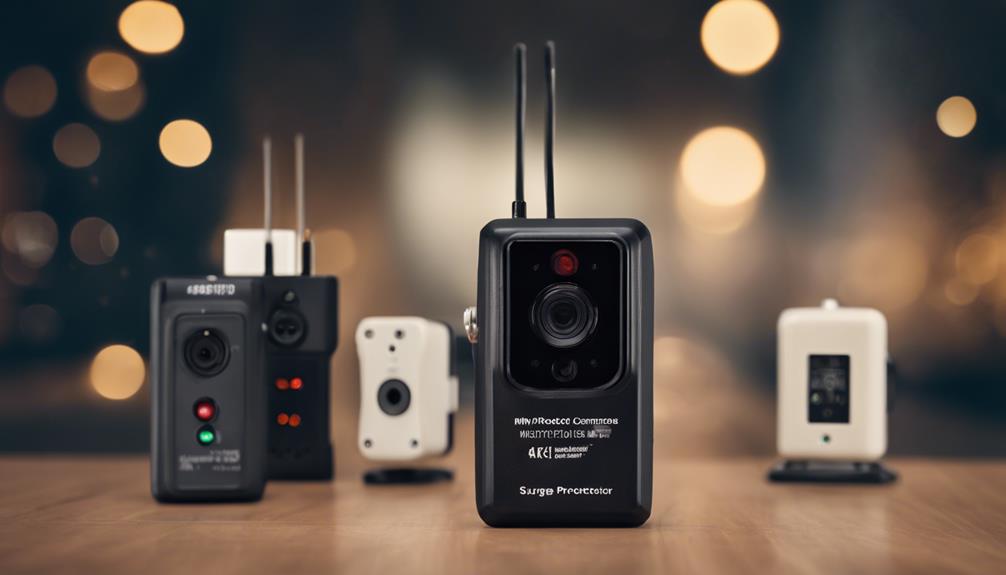

A surge protector spy camera combines an everyday power strip with a concealed camera. These devices may be useful for monitoring a home, office, or other private space when used lawfully and with appropriate notice or consent. Before choosing one, evaluate both the camera’s recording features and the safety and usefulness of the power strip itself.
What to Look for in a Surge Protector Spy Camera
Video quality and viewing angle
Resolution affects how clearly the camera records faces, objects, and activity. Higher-definition recording can provide more detail, but image quality also depends on lighting, lens quality, and the camera’s position. A wider viewing angle can cover more of a room, although an extremely wide lens may make subjects near the edges appear distorted.
Consider where the device will sit and what you need to see. A camera aimed across a room may benefit from a broad field of view, while a narrower angle can be more suitable for a particular doorway, desk, or storage area.
Motion detection and recording controls
Motion detection can begin recording only when movement is detected, helping conserve storage and making footage easier to review. Adjustable sensitivity is useful because a setting that is too high may trigger recordings from changing light, curtains, pets, or other minor movement.
Check whether the device supports continuous recording, scheduled recording, or motion-triggered recording. Also confirm how recordings are saved, such as to removable storage or an associated device, and whether older files are automatically overwritten when storage is full.
Remote access and notifications
Some models offer remote viewing through a phone or computer. This can be convenient when you are away, but it also introduces privacy and security considerations. Use a strong, unique password, keep the device’s software updated when updates are available, and review account permissions carefully.
Power-strip construction
Do not judge a product only by its camera specifications. The power strip should be suitable for the equipment you intend to plug into it and should have clear electrical ratings and safety information. Avoid overloading it, connecting power strips to one another, or using a device with damaged cords, loose outlets, overheating, or unusual odors.
How to Choose the Right Model
Start by defining the area you need to monitor and how often you need recordings. Then compare the following factors:
- Image quality: Choose a resolution appropriate for the distance and lighting in the room.
- Coverage: Match the viewing angle to the area you want visible.
- Storage: Check the supported storage method, recording capacity, and file-management options.
- Connectivity: Decide whether local recording is sufficient or remote access is necessary.
- Low-light performance: Confirm how the camera performs when the room is dim. Do not assume that every model includes useful night recording.
- Ease of operation: Look for straightforward setup, accessible controls, and clear instructions.
- Electrical safety: Verify that the power-strip portion meets your practical needs and appears well constructed.
Placement and Setup Tips
Place the unit where the camera has an unobstructed view of the area you are authorized to monitor. A stable, central position may provide better coverage than a corner, but the best location depends on the room layout. Keep furniture, plants, and other objects from blocking the lens.
Avoid aiming directly at windows or strong lamps. Bright backgrounds can reduce usable detail and create glare. Test the view during both daytime and nighttime conditions, and confirm that faces or important areas are visible rather than cut off at the edge of the frame.
Secure the power strip so it cannot be easily knocked out of position, but do not conceal or alter ventilation openings, cords, labels, or safety components. Configure the date, time, motion sensitivity, and storage settings before relying on the camera.
Maintenance and Privacy Practices
Dust can reduce image clarity, so gently clean the exterior with a soft, lint-free cloth and use a microfiber cloth for the lens. Avoid abrasive materials, excess moisture, and harsh chemicals. Inspect the cord, plug, housing, and outlets regularly, and stop using the device if it shows signs of electrical damage or overheating.
Keep recordings secure and delete footage that is no longer needed. Laws regarding audio recording, video surveillance, workplaces, rental properties, and areas where people expect privacy vary by location. Do not place a concealed camera in bedrooms, bathrooms, changing areas, or other private spaces, and obtain any consent or authorization required for your situation. If the device is intended for security, visible cameras, door sensors, or other openly disclosed measures may be a more appropriate choice.
Final Buying Checklist
Before purchasing, compare the camera’s resolution, viewing angle, motion controls, storage, remote-access security, and low-light performance. Give equal attention to the quality and electrical suitability of the surge protector. A model is only useful when it provides a clear, reliable view, operates safely, and is used in a way that respects privacy and applicable rules.