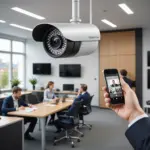

A two-way video pet camera can do more than show you what your pet is doing while you are away. Depending on the design, it may let you watch a live feed, listen to your pet, speak through the camera, and—if it includes a screen or connects to one—let your pet see you as well. Explore two way video features that overlap between pet cameras and covert surveillance technology for remote monitoring.
That combination makes these devices useful for everyday check-ins, remote reassurance, training routines, and interactive pet video conference sessions. However, not every product described as “two-way” provides two-way video. Many are two-way audio pet cameras, so understanding the difference is the first step in choosing the right model.
What is a two-way video pet camera?
A standard pet camera sends live video from your home to a phone, tablet, or computer. A two-way audio pet camera adds a microphone and speaker, allowing you to hear your pet and talk back. A true two-way video setup goes further by giving your pet access to a visual image of you through a built-in display or a compatible screen.
The visual connection may be helpful for animals that respond to familiar faces, but pets do not all interpret screens in the same way. Some may react to your voice while ignoring the video, while others may become distracted or unsettled. Short test sessions can help you determine whether visual interaction is beneficial for your pet.
Features that matter most
When comparing models, focus on the features that affect image quality, communication, reliability, and privacy rather than on a long list of technical extras.
- Clear video: A resolution such as 1080p can make it easier to see your pet’s posture, activity, and surroundings. A wide viewing angle or pan-and-tilt movement can also help cover more of a room.
- Low-light viewing: Night vision or other low-light capability is useful if you check on your pet after dark. Confirm that any indicator lights will not bother your animal.
- Two-way audio: Look for a microphone and speaker that provide understandable speech, along with noise reduction or echo control where available.
- A screen for two-way video: If seeing you is important, verify that the camera has a built-in display or supports a separate display accessory. A phone app alone usually provides video in one direction.
- Motion and sound alerts: Notifications can help you notice activity without watching a live feed continuously. Adjustable sensitivity is useful for reducing alerts caused by ordinary household sounds.
- Storage choices: Local storage and cloud storage each have advantages. Review how recordings are saved, how long they are retained, and whether a subscription is required.
- Secure remote access: Encryption, strong account security, firmware updates, and a clearly explained privacy policy are important for any internet-connected camera.
How people use these cameras
Checking in during the day
Live video can help you confirm that your pet is resting, eating, or moving normally while you are out. It may also help you notice changes such as unusual pacing or repeated activity. A camera cannot replace veterinary advice or in-person care, but it can provide useful observations to discuss when a health concern arises.
Offering reassurance
With two-way audio, you can speak to your pet during the day. A familiar voice may be reassuring for some animals, although others may become frustrated when they hear you but cannot find you. Introduce the feature gradually and watch your pet’s response. For pets that roam beyond view, compare motion tracking options to maintain responsive two-way video monitoring.
Supporting training routines
Remote voice commands can supplement an established training routine. Some pet cameras also include interactive options such as treat dispensing or a controllable light. Use these features carefully and avoid relying on remote corrections or commands that could confuse or distress your pet.
Creating a pet video conference
A pet video conference is a brief interactive session in which you and your pet can exchange audio and, where supported, video. Keep early sessions short. If your pet shows signs of confusion, agitation, or disinterest, return to simple monitoring or audio communication instead.
Choosing and positioning a camera
Start with the room and your pet’s habits. A fixed camera may be sufficient for a small space, while a pan-tilt model can provide broader coverage. Place the unit where your pet is naturally visible, generally at or slightly above pet height, and avoid direct sunlight, glare, and surfaces that create reflections.
Before relying on the camera, test the video from different parts of the room and check whether your pet can hear the speaker clearly. Adjust the volume so your voice is audible without being startling. If the device includes a display, introduce it during a calm period and observe how your pet reacts.
Privacy and security checklist
- Replace the default password with a strong, unique password.
- Enable two-factor authentication if the service supports it.
- Install firmware and app updates promptly.
- Limit account access to trusted household members.
- Review cloud-storage settings and recording retention.
- Position the camera so it does not unnecessarily capture private areas.
The best two-way video pet camera is not necessarily the model with the most features. Choose one that provides the level of video, audio, interaction, storage, and security your household actually needs. For many owners, a dependable two-way audio pet camera is enough; for pets that respond well to faces and screens, a full two-way video setup may make remote check-ins more engaging.