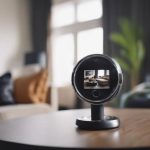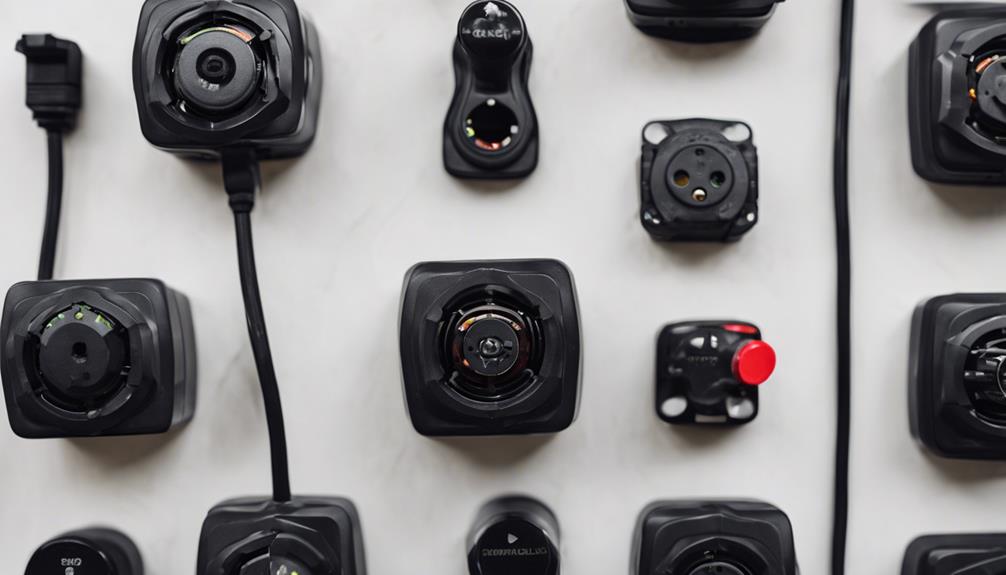

UniFi Protect is a camera-management platform for viewing feeds, managing recordings, and controlling compatible network cameras. It can make legitimate security systems easier to operate, especially when several cameras must be monitored from one place. However, centralising camera access also creates privacy and security responsibilities. A well-configured system should protect footage, limit who can view it, and avoid recording areas where people reasonably expect privacy.
What UniFi Protect does
UniFi Protect brings camera streams, recordings, alerts, and device settings into a central interface. Depending on the equipment and configuration, footage may be stored locally or in an authorised cloud service. The related mobile app can provide remote access for live viewing, notifications, and playback.
These capabilities are useful for property security and operational monitoring, but they should not be treated as permission to record people without their knowledge. Camera placement, recording schedules, and access policies should reflect both the purpose of the system and the privacy expectations of everyone who may be recorded.
Protect the camera account and network
The account used to administer a camera system is a high-value target. Anyone who gains access may be able to view live feeds, download recordings, change camera settings, or add other users. Begin with the following safeguards:
- Replace default credentials during setup and use a long, unique password.
- Enable multi-factor authentication when it is available.
- Give each user only the access required for their role.
- Review account activity and remove former staff, tenants, or service providers.
- Install firmware and software updates promptly through trusted administrative channels.
- Avoid sharing administrator credentials or exposing management interfaces directly to the public internet.
Network design provides another layer of protection. Cameras can be placed on a separate VLAN or isolated network so that a compromised device has less access to computers, storage, and smart-home equipment on the primary network. Strong Wi-Fi security and a protected router administration account are also important parts of the same defensive approach.
Use privacy-focused camera settings
Camera configuration should minimise unnecessary collection rather than record everything by default. Review each camera’s field of view and remove areas that do not contribute to the security purpose. Privacy masks can obscure sensitive sections of an image, while motion zones can reduce alerts from irrelevant parts of the scene. Scheduled recording may be appropriate when continuous monitoring is not needed.
Keep retention periods proportionate to the reason for recording. Storing large amounts of footage indefinitely increases the consequences of an account compromise or unauthorised disclosure. Protect exported clips and backups as carefully as the original recordings, and document who is allowed to access them.
Using the mobile app responsibly
The UniFi Protect mobile app can help authorised users check camera angles, confirm that a device is operating, respond to alerts, and review incidents. Before enabling remote viewing, verify that the account and phone are secured with a screen lock and current software. Avoid viewing or downloading footage on shared devices, and do not forward clips unless there is a legitimate, documented reason.
When inspecting a property, the app can help confirm that known cameras are correctly identified and are not aimed at bedrooms, bathrooms, changing areas, or other inappropriate locations. It is not, however, a complete hidden-camera detector. An unknown camera may not appear in the app, particularly if it is not part of your system or is operating on another network.
Checking for unauthorised cameras
If you suspect that a space contains an undisclosed camera, combine several methods rather than relying on one application:
- Inspect smoke detectors, chargers, clocks, vents, decorative objects, and other items with an unobstructed view of private areas.
- Look for unfamiliar network devices through the router or network-management interface, if you administer that network.
- Check for unusual lights, reflections from lenses, unexplained wiring, or devices that do not belong in the room.
- Consider professional assistance or appropriate detection equipment when the risk is serious.
Network inspection cannot find every device, and radio-frequency detection can produce false positives from ordinary wireless equipment. If you find a suspicious device, avoid tampering with it when possible. Photograph its location, record relevant details, and seek advice from local authorities or a qualified legal professional.
Legal and ethical responsibilities
Rules for video recording, audio capture, employee monitoring, landlords, shared accommodation, and short-term rentals vary by location. Audio may be subject to stricter requirements than video, and notice or consent may be required. Before installing or operating a system, check the laws that apply to the property and consult qualified advice when the situation is unclear.
Clear signage, written policies, limited access, and privacy-conscious placement help establish responsible practices. UniFi Protect can support a secure monitoring system, but technology alone cannot make an intrusive or undisclosed deployment lawful. The safest approach is to collect only what is necessary, protect it carefully, and respect the privacy of everyone in the monitored space.