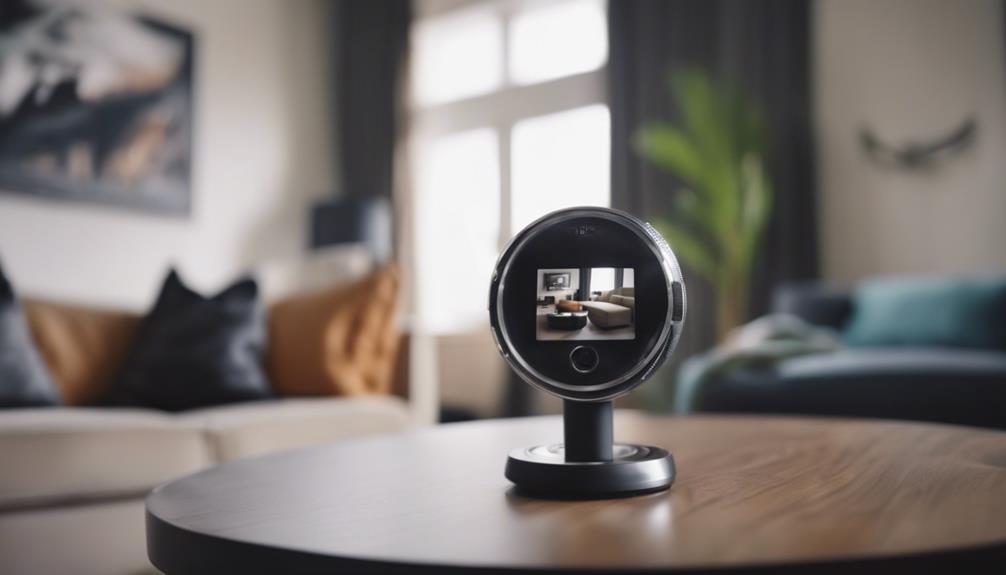

The best mini wireless camera is not necessarily the smallest or the most feature-packed model. The right choice depends on how you plan to use it, where it will be installed, and how much maintenance you are willing to handle. Image quality, battery performance, wireless reliability, storage, and privacy protections all matter more than a long specification list. For broader comparisons, explore discreet surveillance options alongside detailed reviews of compact wireless models.
Compact cameras can be useful for checking on pets, monitoring an entryway, keeping an eye on a rental property, or adding coverage to an existing home security setup. Before buying, define the job the camera needs to perform and select features around that purpose.
What to look for in a mini wireless camera
Image quality and viewing conditions
Resolution is only one part of image quality. A camera should produce clear footage in the lighting conditions where it will be used. Look for a suitable field of view, dependable focus, and useful low-light or infrared performance if the camera will operate at night.
Consider the distance between the camera and the area you need to see. A wide-angle view can cover more of a room, while a narrower view may provide a clearer picture of a particular doorway or hallway. Sample footage from independent mini camera reviews can help you judge image quality more realistically than specifications alone.
Battery life and power options
Wireless operation does not always mean the camera can run for long periods without attention. Battery life varies with motion detection, live viewing, night vision, wireless signal strength, and recording settings. If uninterrupted monitoring is important, a model with a continuous power option may be more practical than a battery-only device.
For travel or occasional checks, a rechargeable battery may be convenient. Also consider how easily the camera can be recharged, whether it can remain in position while charging, and whether low-battery alerts are available.
Wi-Fi connection and mobile app
A small camera is only useful if it maintains a dependable connection. Check whether its wireless range suits the intended location and whether the app provides straightforward access to live video, recordings, motion alerts, and settings.
App performance is especially important for cameras placed somewhere you cannot check regularly. Look for clear setup instructions, stable playback, and controls that make it easy to disable recording or notifications when appropriate. For readers comparing compact wireless models, beginner GoPro basics explain what to expect from action-camera controls.
Storage and privacy controls
Mini wireless cameras may store footage locally, in the cloud, or through a combination of both. Local storage can reduce reliance on an online service, while cloud storage may make remote access and backup more convenient. Review the storage costs, retention options, and account requirements before purchasing.
Security should be treated as a core feature rather than an afterthought. Choose a device with a secure account system, strong password support, available two-factor authentication, and a manufacturer that provides firmware updates. Use a unique password and protect the Wi-Fi network connected to the camera.
Where a compact camera can be useful
- Pet monitoring: Check common areas while you are away without installing a large camera.
- Entryway coverage: Monitor a doorway or hall as a supplement to broader home security equipment.
- Rental properties: Use a portable camera where permanent installation is impractical, subject to permission and applicable rules.
- Travel: Bring a compact device for temporary monitoring of a personal space, provided its use is lawful and respectful of others.
- Utility or storage areas: Check spaces that are difficult to observe regularly, such as a supply room or equipment area.
Placement affects results. Aim a doorway from a position that captures faces rather than the bright area behind them. Avoid placing the lens behind glass, near a strong light source, or where household activity will constantly trigger alerts. Test the camera during both daytime and nighttime conditions before relying on it.
How to compare mini camera reviews
Useful reviews examine real-world performance instead of repeating marketing claims. Pay attention to tests of battery runtime, motion detection, wireless stability, app responsiveness, audio quality, and night vision. Footage examples are valuable because two cameras with similar stated resolution can perform very differently.
User feedback can reveal recurring problems such as connection dropouts, unreliable notifications, difficult setup, or poor long-term support. However, weigh individual complaints against broader patterns and check whether the reviewer tested the camera in conditions similar to yours.
Legal and ethical considerations
A compact or hidden camera should never be used to record people where they reasonably expect privacy. Rules concerning audio recording, tenants, guests, employees, and shared spaces vary by location. Obtain permission when required, avoid private areas such as bathrooms and bedrooms, and inform people about monitoring when appropriate.
Final buying checklist
- Does the camera provide suitable detail in the intended lighting?
- Can it run long enough between charges, or support continuous power?
- Is the Wi-Fi range adequate for its placement?
- Are live view, playback, and alerts easy to use?
- Does the storage method match your privacy and budget preferences?
- Are account security and firmware support clearly explained?
- Can the camera be installed without creating privacy or legal problems?
The best mini wireless camera is the one that performs reliably in your actual space and fits your monitoring habits. Prioritise dependable connectivity, appropriate power, useful image quality, secure access, and responsible placement over novelty features or the smallest possible design.