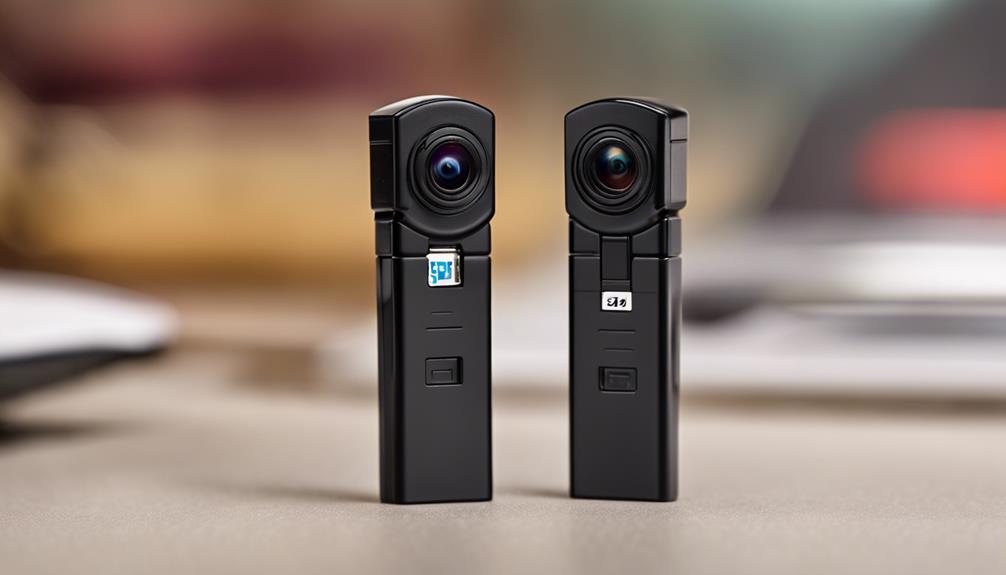

USB stick cameras are compact recording devices designed to resemble everyday objects such as flash drives, adapters, or other small accessories. Their size can make them convenient for documenting property, checking equipment, or monitoring a space where visible camera hardware is impractical. However, their discreet appearance also creates serious privacy concerns, so they should be used only where recording is lawful and everyone who needs to know has been informed.
What to Look for in a USB Stick Camera
The best device depends on the situation rather than on appearance alone. Before buying, compare the recording method, storage capacity, battery life, image quality, and the way files are transferred. A small camera is not automatically a useful one: limited battery capacity, poor low-light performance, or difficult file access can make a device unsuitable for legitimate monitoring.
- Video quality: Look for footage that is clear enough for the intended purpose, particularly if details may need to be reviewed later.
- Storage: Check whether the camera uses internal memory, a removable card, or another storage method, and confirm how quickly it may fill.
- Battery and power: Short recording times can limit portability. Some devices need regular charging or continuous USB power.
- File transfer: Confirm that recordings can be copied easily to a computer or another approved device.
- Controls and indicators: Straightforward recording controls and visible status indicators are preferable for transparent, lawful use.
- Security: If the camera connects to a network, choose strong unique credentials and keep its software updated when updates are available.
Common Types of USB Stick Cameras
Compact and ultra-slim models
Small USB cameras are easy to carry and store. They may suit personal documentation, equipment checks, or temporary observation of an area where a conventional camera would be inconvenient. Their compact size often comes with trade-offs, including smaller batteries, fewer controls, and limited space for heat management.
Motion-activated cameras
Motion detection starts recording when movement is identified instead of capturing video continuously. This can reduce unnecessary footage and conserve storage and battery power. Performance depends on detection sensitivity and the surrounding environment, so test the device in its intended location before relying on it.
High-resolution mini cameras
A higher-resolution sensor can produce more detailed footage, but resolution is only one part of image quality. Lens quality, lighting, camera stability, and compression also affect the final recording. A model that performs well in daylight may produce much less useful video in dim conditions.
Wi-Fi and live-view cameras
Network-enabled cameras can provide remote viewing through a computer or mobile device. This is useful when an authorised user needs to check a location without being physically present. Remote access also increases the risk of unauthorised viewing, so avoid default passwords, secure the connected network, and consider whether cloud access is necessary.
Low-light and night-vision models
Night-vision features can help when the monitored area is poorly lit, but results vary considerably. Some cameras produce monochrome footage, while others depend on infrared illumination or a small amount of available light. Check sample footage from the exact model when possible, and remember that night vision does not guarantee readable detail at a distance.
Loop-recording devices
Loop recording continuously saves new footage by replacing the oldest files when storage is full. This can be useful for routine, authorised monitoring, but it may also delete material that has not yet been copied. Review the overwrite settings and establish a regular process for preserving important recordings.
Wide-angle cameras
A wide-angle lens covers more of a room or work area, which may reduce blind spots. The trade-off is distortion and reduced detail at the edges of the frame. Position the camera carefully and avoid recording areas where people reasonably expect privacy.
Privacy, Consent, and Responsible Use
Before using any discreet camera, check the laws and policies that apply to your location and situation. Recording people without appropriate consent may violate privacy, employment, housing, or communications rules. Never use a hidden camera in bedrooms, bathrooms, changing areas, or other private spaces. Do not place a device in another person’s belongings or use it to capture private conversations without clear legal authority.
For a safer approach, use visible security equipment where practical, notify affected people, limit recording to the area and time required, and protect stored files from unauthorised access. Delete footage when it is no longer needed, and do not share recordings casually or publish them online.
Choosing the Right Option
Start with the legitimate task you need to complete, then select features that directly support it. For short, occasional documentation, a simple compact recorder may be sufficient. Motion detection can help reduce storage use, while Wi-Fi is appropriate only when remote access is genuinely required and can be secured. For dark environments, prioritise tested low-light performance rather than relying on product labels alone.
USB stick cameras can be practical tools when used transparently, securely, and within the law. Treat discreet design as a convenience—not as permission to record people without their knowledge—and assess privacy safeguards alongside technical specifications.