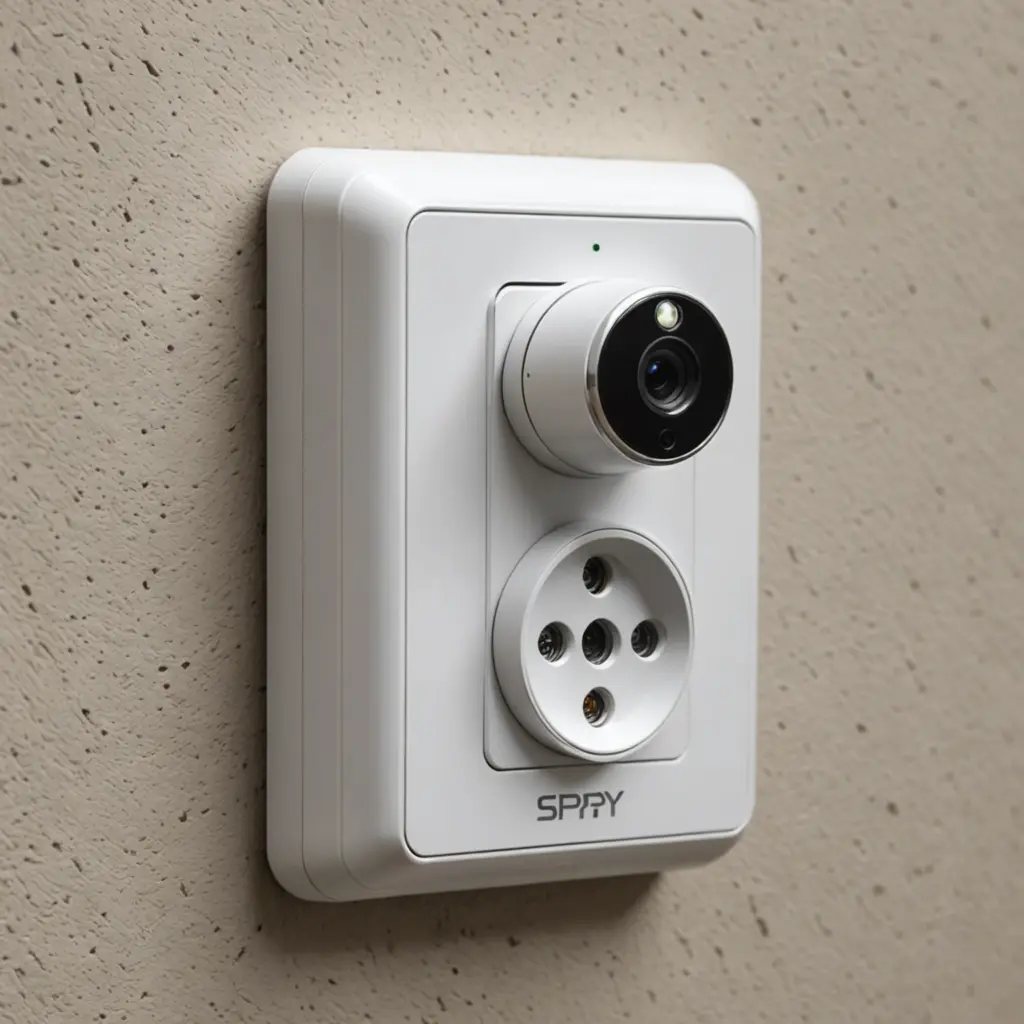

A wall-outlet camera can provide a discreet way to monitor an entryway, common area, or workspace while blending into its surroundings. The most important considerations are video quality, motion detection, remote access, low-light performance, storage, smart-device compatibility, and responsible use.
Because these devices are designed to be inconspicuous, privacy and security should be considered before installation. Use a camera only where monitoring is lawful and appropriate, avoid bedrooms and bathrooms, and follow any consent or recording requirements that apply in your location.
What to Look for in a Wall-Outlet Camera
Discreet design and practical installation
The camera should fit naturally into its environment rather than attracting attention. An outlet-style design can be less conspicuous than a standalone camera, but appearance is only part of the decision. Check that the unit is suitable for the outlet, does not obstruct nearby plugs, and can be installed safely without modifying electrical wiring improperly.
Placement also affects performance. A clear view of a doorway or shared living area is generally more useful than positioning the camera behind furniture or facing a bright window. Before fixing the device in place, test the viewing angle and confirm that the lens is not blocked.
Video resolution and image detail
Higher-resolution recording can make people, objects, and events easier to distinguish. When comparing models, consider whether the camera produces usable footage in the lighting conditions where it will operate, not just the stated resolution.
Look for footage that remains clear when subjects move through the frame. A wide viewing angle may cover more of a room, while a narrower angle can provide greater detail in a specific area. The best choice depends on whether you need broad awareness or a focused view.
Motion detection
Motion detection starts recording when movement is identified, reducing unnecessary footage and helping conserve storage space. It can be especially useful for monitoring an entrance or another area where activity is intermittent.
Motion settings should be adjustable when possible. A camera that records every small change in light, shadows, or passing traffic may create excessive alerts and fill storage quickly. Test the detection range after installation so the camera records meaningful activity without unnecessarily monitoring adjacent spaces.
Remote Viewing and Night Vision
Remote access
Remote viewing allows you to check a live feed and, on some systems, adjust settings from a smartphone or tablet. This can be convenient when you are away from the property, but it also creates an additional access point that must be secured.
Use a strong, unique password, enable two-factor authentication when available, and keep the camera application and firmware updated. Limit access to people who genuinely need it, and review account permissions regularly. Remote access should be treated as a security feature only when the connected account and network are properly protected.
Low-light and night vision
Night vision helps the camera record in dim conditions or darkness, usually through infrared illumination that is visible to the camera but not to the human eye. This can be valuable for entryways and rooms that are not consistently lit.
Night vision performance varies with distance, room layout, and reflective surfaces. Test the camera at night rather than assuming that a night-vision mode will provide the same detail as daytime footage. If the camera uses visible indicator lights or makes noticeable sounds, those features may also affect how discreetly it operates.
Storage and Loop Recording
Loop recording automatically replaces the oldest footage when available storage is full. This supports continuous operation, but important clips may be deleted if they are not saved separately. If the camera supports manual downloads, export significant footage promptly and store it in a secure location.
Review how recordings are stored before buying. Options may include local removable storage, a connected device, or cloud backup. Cloud storage can make footage available from multiple devices, but it also means your recordings are handled by a service provider. Read its privacy and retention policies, use secure account credentials, and consider whether storing sensitive footage online is appropriate.
Responsible Use and Final Checks
A hidden camera should not be used to secretly record people in situations where they reasonably expect privacy. Inform occupants, visitors, employees, or guests when disclosure or consent is required. Monitoring common areas for a legitimate security purpose is different from recording private conversations or personal activities without permission.
Before choosing a wall-outlet camera, confirm that it:
- Provides clear footage in the intended lighting conditions.
- Offers a suitable viewing angle and adjustable motion detection.
- Uses storage that matches the amount of recording you expect.
- Supports secure remote access if live viewing is important.
- Can be installed without creating an electrical or fire hazard.
- Can be used legally and ethically in the intended location.
When selected carefully and used lawfully, an outlet-style camera can offer unobtrusive monitoring for appropriate shared spaces. Its value depends less on being hidden than on producing reliable footage, protecting recorded data, and respecting the privacy of everyone within its view.