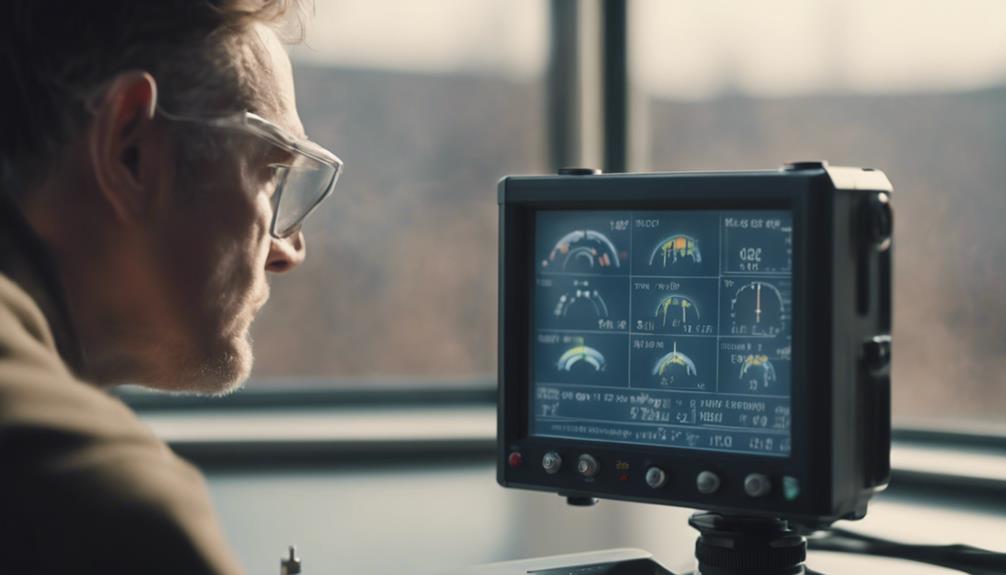

CCTV security camera software turns one or more camera feeds into a manageable surveillance system. Depending on the platform, it can provide live viewing, scheduled or event-based recording, remote access, motion alerts, searchable footage, and connections to other security equipment.
The best choice depends on where the system will be used and what it needs to accomplish. A homeowner may want dependable recording and mobile notifications, while a small business may need multiple users, longer video retention, and faster ways to review incidents. Systems involving discreet or concealed cameras require additional care because privacy and consent laws may apply.
How CCTV security camera software works
Security software receives video from connected cameras and processes it for viewing, recording, and playback. It may run on a local computer, a dedicated network video recorder, or a cloud service. Some systems use a combination of local recording and cloud access.
Local systems can keep footage within the premises and may continue recording if the internet connection is unavailable. Cloud-based systems can make remote access simpler, but they depend on network connectivity and require careful attention to account security, storage terms, and access permissions.
Software may also analyse video to identify motion or other configured events. These tools can reduce the time spent reviewing uneventful footage, although they require sensible positioning and sensitivity settings to avoid excessive false alerts.
Important features to compare
Before choosing a camera security program, define how footage will be captured, stored, reviewed, and shared. Useful features include:
- Live view and playback: View current feeds and move through recorded footage from a computer, browser, or mobile device.
- Flexible recording: Choose continuous, scheduled, or motion-triggered recording for each camera.
- Event notifications: Receive alerts when configured activity is detected, with controls for sensitivity and notification frequency.
- Retention controls: Set how long footage is kept and manage storage as available capacity changes.
- User permissions: Limit who can view cameras, export recordings, change settings, or administer the system.
- Secure remote access: Use strong account protection and encrypted connections where supported.
- Evidence export: Save relevant clips with dependable timestamps and, where appropriate, information about the source camera.
Video analytics and search tools
Searching video manually can be difficult when several cameras record throughout the day. Timeline markers, event lists, bookmarks, and tags can help users locate important moments more quickly. Object filters, people detection, tripwire rules, and other analytics may also be available, depending on the software and camera hardware.
Analytics should be treated as aids rather than infallible evidence. Lighting, camera angle, reflections, crowded scenes, and other conditions can affect results. Features such as facial recognition or people counting also raise additional privacy concerns and should only be used where there is a clear, lawful reason to do so.
Compatibility and future expansion
Check which camera brands, recording devices, and network standards the software supports before purchasing. Compatibility with common protocols can make it easier to combine equipment from different manufacturers, but support may vary by model and feature.
Scalability matters if more cameras may be added later. Review limits on camera channels, simultaneous users, storage, and remote connections. Some platforms can also connect with access-control equipment, lighting, alarms, or smart-home systems. These integrations should be configured carefully so that an automated response does not create a safety problem or unwanted disruption.
Setup and maintenance practices
Begin by identifying the areas that genuinely need monitoring. Position cameras to capture useful views while avoiding unnecessary coverage of private spaces or neighbouring property. Good lighting, a stable network connection, accurate time settings, and suitable camera placement often matter as much as advanced software features.
Configure recording schedules, motion zones, alert rules, and storage limits for each camera. Test both live viewing and playback after installation. Periodically confirm that recordings are being created, alerts reach the intended users, and important clips can be exported or restored. Keep supported software and camera firmware updated, and remove accounts that no longer need access.
Legal and privacy responsibilities
Covert or concealed surveillance can create serious legal and ethical issues. Rules differ by location and may address video recording, audio capture, employee monitoring, consent, data retention, and disclosure. Audio may be subject to separate restrictions from video.
Do not place cameras in areas where people reasonably expect privacy, such as bathrooms or changing rooms. In workplaces, clear policies, notice, and appropriate consultation may be required. If monitoring caregivers, tenants, visitors, or service providers, confirm that the proposed use is lawful before installing equipment.
Protect recorded footage as sensitive information. Use strong, unique passwords, restrict administrative access, secure exported files, and establish a defined retention and deletion process. When uncertain, obtain advice based on the laws that apply to the specific location and intended use.
Making the choice
A suitable CCTV security camera software package should match the number of cameras, recording requirements, network environment, review workflow, and privacy obligations of the installation. Prioritise dependable recording, clear access controls, practical search tools, and straightforward maintenance over features that do not support a defined need. A carefully configured system can make monitoring more efficient while respecting the rights and expectations of the people captured by it.