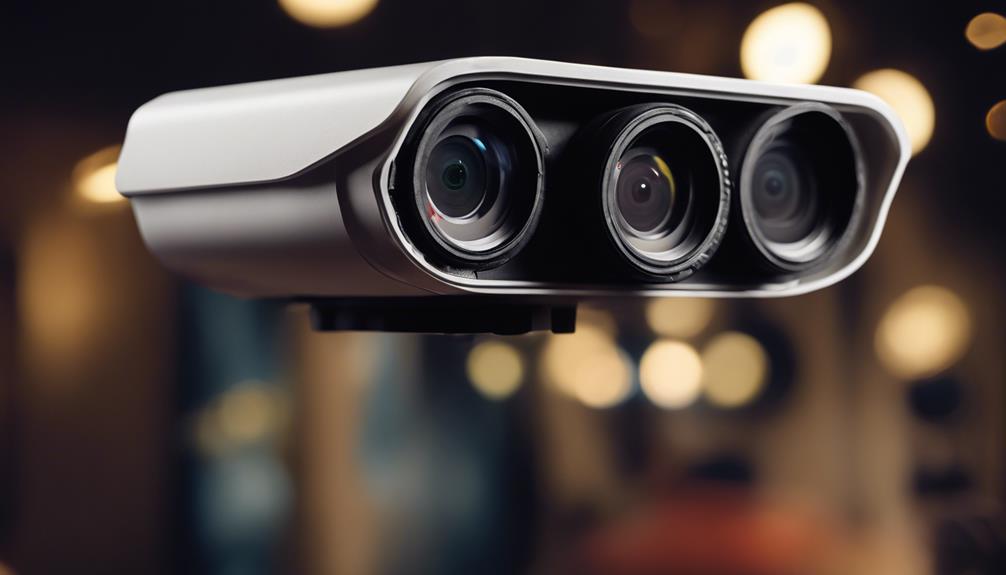

Sim Card Security Camera systems have become a practical choice for owners who need reliable surveillance without depending on local Wi-Fi. These devices combine a compact camera with a cellular modem, allowing live video, motion alerts, and remote access over 3G, 4G, or 5G networks. Whether you are monitoring a vacation property, a vehicle, or a temporary job site, a sim card security camera can deliver continuous observation where traditional wired or Wi‑Fi cameras fall short. Consider cellular surveillance uses to evaluate how SIM‑enabled security cameras inform covert recording applications today.
How a Sim Card Security Camera Works
A sim card security camera contains a cellular transceiver and a slot for a mobile SIM card much like a smartphone. When installed, the camera connects to the mobile operator’s network and streams video to cloud services or directly to an app on your phone. Many models support motion detection, scheduled recording, and two‑way audio. The cellular link enables remote management from anywhere with network coverage, and some units include local storage via microSD as a backup when connectivity is intermittent.
Practical Use Cases for Sim Camera Security
Sim camera security fits scenarios where power or wired internet is unavailable or where mobility is required. Property owners use cellular cameras to monitor cabins, rural outbuildings, or seasonal rental homes. Construction managers rely on them to watch equipment and progress at transient sites. Fleet managers install SIM‑enabled cameras in trucks and vans to track cargo, deter theft, and document incidents on the road. Landlords and Airbnb hosts can deploy temporary outdoor monitoring between guests. Because these cameras can operate independently of local networks, they are also popular for events, pop‑up stores, and agricultural surveillance.
Choosing and Setting Up the Right Device
Selecting a sim card security camera starts with evaluating coverage and data needs. Check which cellular bands the camera supports and confirm they match local carriers. Decide whether you prefer a prepaid data plan or a monthly subscription; continuous HD streaming can consume significant data, while event‑based uploads use far less. When setting up, configure the APN details provided by the carrier, enable secure access settings, and confirm whether the camera supports encryption and firmware updates. Some models include battery power with solar charging, which is useful for remote placement. For uninterrupted operation, pair a reliable data plan with an appropriate power strategy—mains power when available, or a robust battery and solar combo for off‑grid locations.
Data and Storage Options
Many sim card security camera models offer multiple storage choices: direct cloud backup, rolling microSD cards, or networked storage if a local gateway is present. Cloud storage typically requires a subscription but simplifies access and preserves footage even if the camera is stolen. Local storage is cost‑effective but risks loss if the device is compromised. When evaluating plans, account for resolution settings, expected motion frequency, and the length of video retention you need. For remote sites, consider cellular surveillance options when planning a professional business security system installation.
Installation and Concealment Techniques in Hidden Camera Applications
For hidden camera applications, proper placement and concealment are essential to get useful footage while maintaining a discreet profile. Camouflage into existing fixtures such as smoke detectors, outdoor fixtures, or decorative elements can keep devices unobtrusive. Ensure the field of view remains clear of obstructions and that the unit has an adequate cellular signal—test the location before final installation. Use tamper‑resistant housings and secure mounts to reduce the risk of theft or accidental displacement. While concealment is often practical for security, always consider the legal and ethical boundaries; concealed cameras should not be placed where people expect privacy, such as bathrooms or private sleeping areas.
Security, Privacy, and Legal Considerations
Although a sim card security camera offers convenience, it introduces security and privacy concerns. Protect access with strong, unique passwords and enable two‑factor authentication when available. Keep firmware up to date to patch vulnerabilities and choose models that support end‑to‑end encryption for video streams. Be mindful of SIM security as well: SIM cloning or unauthorized data consumption can occur if carrier accounts are not secured. From a legal perspective, surveillance laws vary widely by jurisdiction, and it’s important to notify occupants or post warning signs where legally required. Balancing effective monitoring with respect for privacy will reduce legal risk and foster trust among tenants, employees, or visitors.
Pros and Cons of Using a SIM‑Enabled Camera
Sim card security camera solutions excel where conventional internet is absent or unreliable. They offer fast deployment, mobility, and independence from local networks. However, these advantages come with tradeoffs: cellular data costs can add up, network coverage can be inconsistent in remote areas, and cameras reliant on batteries require ongoing maintenance. Additionally, lower‑cost models may lack robust encryption or reliable firmware support, so investing in a reputable brand and a compatible data plan is advisable for mission‑critical deployments.
In conclusion, sim card security cameras provide a flexible and powerful option for hidden camera applications and general surveillance when Wi‑Fi is not practical. By selecting the right device, securing the data link, and placing cameras thoughtfully, you can achieve reliable remote monitoring for properties, vehicles, and temporary sites. Careful attention to legal requirements and privacy practices will ensure your sim camera security setup is both effective and responsible.