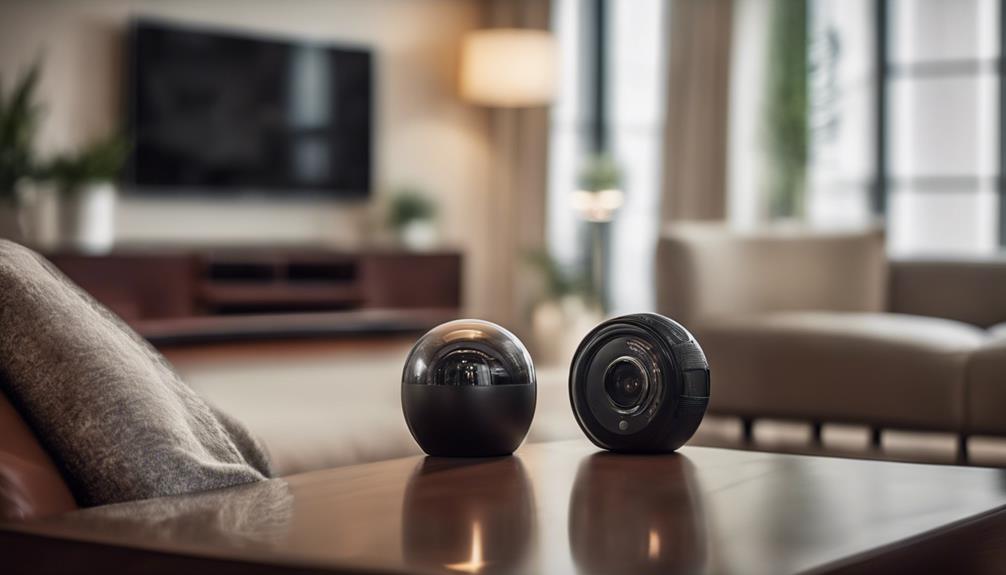

The Air Wick Spy Camera is designed for discreet monitoring in a compact, familiar-looking form. Depending on the model and included accessories, its functions may include motion-activated recording, high-definition video, local storage, and remote access over Wi-Fi. Before installation, review the product documentation carefully, since controls, storage requirements, and available features can vary.
Important privacy and legal considerations
A concealed or discreet camera should be used only for a legitimate, lawful purpose. Do not record people in bedrooms, bathrooms, changing areas, or other places where they reasonably expect privacy. Recording audio may be subject to additional rules, and requirements can differ by location. Obtain consent where required, inform household members or visitors when appropriate, and check applicable local regulations before using the camera.
Responsible placement is more important than making the camera difficult to notice. Use it to protect property or monitor an area you are authorized to oversee, rather than to secretly observe another person.
Key features to understand
- Motion detection: The camera can be configured to begin recording when movement is detected, helping reduce unnecessary footage.
- Video resolution: Higher resolution can improve detail, but it may also use more storage space and battery power.
- Local recording: Some configurations use a memory card or other onboard storage for saving video.
- Remote access: If supported by the model, Wi-Fi connectivity may allow authorized users to view or review footage through a companion app.
- Playback controls: Recorded clips can typically be paused, rewound, fast-forwarded, or reviewed by time and date.
How to set up the camera
- Charge or install the recommended power source, then inspect the camera and accessories for damage.
- Insert a compatible memory card if local recording is supported. Confirm its capacity and format requirements in the manual.
- Choose a position with a clear view of the authorized monitoring area. Avoid placing the lens behind glass, directly facing a strong light, or where objects may block the view.
- Connect the camera to Wi-Fi, if available, using a private and trusted network.
- Change any default password immediately. Use a unique password and limit access to people who need it.
- Make a short test recording in both normal and low-light conditions. Check the viewing angle, focus, sound settings, and motion response before relying on the camera.
Adjust recording and motion settings
Use the settings menu to balance image quality, storage capacity, and battery life. Select the highest practical resolution when detail matters, but consider a lower setting if storage fills quickly. Motion sensitivity should match the environment: a busy area may require a less sensitive setting to reduce false triggers, while a quiet area may benefit from greater sensitivity.
If audio recording is available, enable it only when lawful and necessary. A recording schedule or motion-only mode can help limit collection of footage and make important clips easier to find.
Viewing and managing recorded footage
For local playback, open the camera’s storage or playback menu and select a clip by date or recording time. Use pause, rewind, and fast-forward controls to review events efficiently. If remote viewing is supported, open the authorized companion app after confirming that the camera is connected to a secure Wi-Fi network.
Review storage regularly and remove footage that is no longer needed. Keep important clips in a secure location, restrict who can download them, and avoid sharing recordings publicly. If the device supports cloud storage, check account security and retention options before enabling the service.
Placement and maintenance tips
Position the camera high enough to provide a useful view, but not so high that faces or activity become indistinct. Test the angle from the camera’s actual location rather than relying on a preview alone. Keep the lens clean with a soft microfiber cloth, and check periodically that the camera has not shifted.
Monitor battery levels and replace or recharge the power source before it runs out. Keep the device away from excessive heat, moisture, and direct sunlight unless it is specifically rated for those conditions. Update firmware when the manufacturer provides an official update, particularly if the camera connects to the internet.
Troubleshooting common problems
- No recording: Check power, available storage, recording mode, and motion-detection settings.
- Blurry video: Clean the lens, improve lighting, and make sure the camera is not obstructed.
- Too many alerts: Reduce motion sensitivity or reposition the camera away from moving curtains, fans, or busy walkways.
- Wi-Fi problems: Confirm the network password, move the camera closer to the router, and restart both devices.
- Remote access concerns: Change passwords, remove unknown users, and disable remote viewing if it is not needed.
Use the camera responsibly
The Air Wick Spy Camera can support practical monitoring when it is installed securely, configured carefully, and used within the law. Prioritize consent, data security, limited retention, and respectful placement. If a feature or legal requirement is unclear, consult the device manual and obtain qualified local advice before recording.