
A discreet camera can help document incidents around a parked or moving vehicle, but the right choice depends on more than size alone. Before buying, compare recording quality, viewing angle, storage, low-light performance, installation, and the way footage can be accessed.
Although these products are often described as “spy cameras,” responsible use matters. Rules concerning recording inside a vehicle, filming other people, audio capture, and informing passengers vary by location. Check the applicable laws before installing or using a hidden camera.
Features to Compare in a Car Camera
Discreet installation
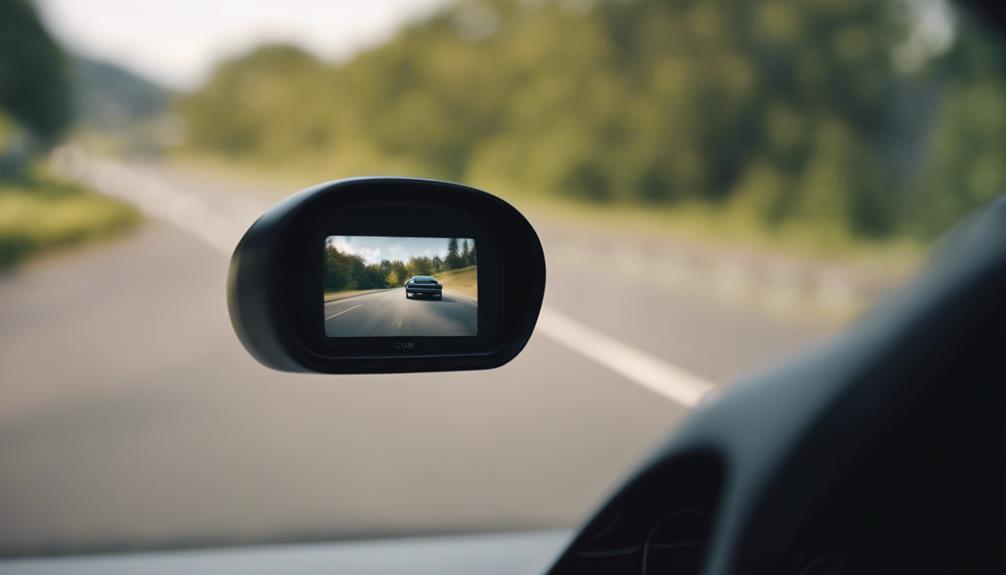
A compact camera is easier to place without obstructing the driver’s view or attracting unnecessary attention. Look for a design that can be positioned securely and that does not interfere with airbags, controls, mirrors, or the windscreen. A discreet installation should still leave the lens unobstructed and make it possible to remove the camera when required.
Loop recording
Loop recording allows the camera to continue filming when the memory card becomes full by replacing older files with newer ones. This reduces the need to clear storage manually, although important recordings should be copied elsewhere before they are overwritten.
Wide-angle coverage
A wide-angle lens can show more of the area around the vehicle and reduce blind spots. It is useful for recording activity ahead of the car, beside it, or within the cabin, depending on the camera’s position. A wider view is not automatically better, however; extreme wide-angle footage may make distant details appear smaller, so consider how much detail you need from the area being monitored.
Resolution and playback
Higher-resolution recording can make details such as road signs, number plates, and faces easier to examine. Easy playback is equally important. A camera is more useful when footage can be reviewed quickly on the device or transferred to another screen without a complicated process.
Budget-Friendly Models Mentioned for This Category
The legacy recommendations include the APEMAN Mini Dash Cam, Crosstour Dash Cam, and Pruveeo C2 Dash Cam. Treat these as examples of the features to compare rather than assuming that every listed model will suit every vehicle or remain available with the same specification.
- APEMAN Mini Dash Cam: The article highlights its compact form, straightforward installation, loop recording, and G-sensor technology.
- Crosstour Dash Cam: Its adjustable lens is useful when positioning the camera, and the article notes support for memory cards up to 32GB.
- Pruveeo C2 Dash Cam: This is presented as an affordable option with a compact installation approach and flexible memory choices.
When comparing budget cameras, check what is included in the box, whether storage must be purchased separately, how the camera receives power, and whether the mounting system works with your vehicle.
Wireless Access, Alerts, and Storage
Wireless connectivity can make it easier to view or transfer recordings without removing the camera. Some models may support remote viewing, live streaming, smartphone notifications, GPS tracking, or cloud storage. These capabilities are not universal, so confirm each one in the product specifications rather than relying on general category descriptions.
Storage deserves particular attention. A memory card may be convenient for local recording, while cloud backup can make footage accessible from another device. If sensitive recordings are stored online, review the provider’s security and access arrangements. Motion alerts and live access can also consume power or data, making them less suitable for every installation.
Night Vision and Motion Detection
Night vision is valuable when the vehicle is parked in a poorly lit area or when an incident occurs after dark. Infrared illumination can help a camera record in low-light conditions, but the final image still depends on lens quality, placement, nearby lighting, and reflections from the windscreen.
Motion detection can begin recording when movement is noticed near the vehicle. This may help conserve storage compared with continuous recording, while loop recording is better suited to uninterrupted coverage. A G-sensor can also identify sudden impacts and help protect relevant footage from being treated like ordinary recordings.
How to Choose the Right Option
- Choose the highest practical resolution within your budget.
- Check that the viewing angle covers the area you actually need to monitor.
- Prioritise loop recording if the camera will operate for long periods.
- Look for motion detection or impact sensing when parked-vehicle protection is important.
- Confirm storage capacity, file transfer methods, and playback compatibility.
- Install the camera securely and ensure it does not reduce visibility or interfere with vehicle safety equipment.
The best car camera is the one whose recording quality, coverage, storage, and installation suit your specific vehicle and intended use. Compare those practical factors first, then consider wireless access, night vision, and other extras.