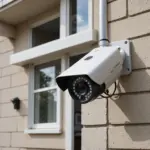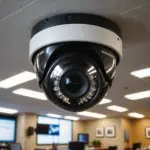

Covert cellular cameras are compact surveillance devices designed to monitor a location without requiring nearby Wi-Fi. They use a cellular connection to send photographs, video clips, or motion alerts to a mobile app or web portal. This makes them useful for remote property, wildlife observation, land management, and other situations where returning regularly to collect an SD card is inconvenient. Explore low-profile monitoring options that complement covert cell cameras in varied privacy-conscious surveillance settings.
How a covert cellular camera works
A typical unit combines a small camera, motion sensor, storage, battery, and cellular modem. A SIM card and compatible data plan allow the camera to upload selected media to a remote service. Depending on the model and settings, it may send an image immediately after detecting movement, upload clips at scheduled intervals, or store files locally for later retrieval.
Most devices are managed through a companion mobile app or secure browser portal. These tools may allow you to:
- View captured photos and video remotely
- Receive motion notifications
- Adjust detection sensitivity and trigger delays
- Change capture schedules and operating modes
- Check battery, signal, and storage status
Cellular cameras are different from Wi-Fi-only cameras because they can operate in places without a local internet connection. Their usefulness still depends on adequate network coverage and an appropriate data plan.
Common applications
Wildlife and land observation
A discreet camera can record animal activity near trails, feeding areas, watering locations, or other points of interest. Motion-triggered capture helps reduce unnecessary recordings and may limit disturbance compared with frequent human visits. Wildlife observers and land managers should choose placement carefully so the device does not interfere with animal movement or habitat.
Property monitoring
Cellular cameras can provide alerts from driveways, fence lines, gates, remote outbuildings, and equipment areas. They may be useful where a wired camera installation is impractical or where a Wi-Fi signal does not reach. Positioning should focus on the owner’s property and legitimate security concerns rather than neighboring land or areas where people reasonably expect privacy.
Temporary or remote installations
Because the camera can communicate without a local router, it can be moved between sites as needs change. This flexibility is helpful for short-term observation, land surveys, or monitoring locations that are visited infrequently. Explore discreet home monitoring options to compare how cell-based covert cameras fit broader household security needs.
What to consider before choosing one
- Network compatibility: Confirm that the device works with a cellular network available at the installation site. Check coverage at the actual location rather than relying only on general maps.
- Data costs: Frequent video uploads and high-resolution images can use more data than occasional motion-triggered photos.
- Power: Battery life varies with signal strength, temperature, trigger frequency, upload volume, and camera settings. Solar accessories or larger battery packs may reduce maintenance visits where supported.
- Night recording: Infrared illumination can support low-light capture, but nearby branches, reflective surfaces, and poor positioning can still affect image quality.
- App and portal security: Review available account protections, update options, and access controls before relying on remote monitoring.
- Storage and retrieval: Determine whether media is stored in the cloud, on a memory card, or both, and learn how long remote files remain available.
Placement and setup tips
Choose a location that provides a clear view while reducing the chance of accidental damage or unwanted attention. Keep the lens free of leaves and branches, and test the camera from the expected direction of movement. Mounting height and angle should suit the intended subject: wildlife monitoring may require different positioning from driveway or gate surveillance.
Start with motion-triggered photographs or short clips rather than continuous recording. Adjust sensitivity, trigger delay, and capture frequency after reviewing the first results. This can help balance useful coverage against battery consumption, false alerts, and cellular data use. For long-term deployment, inspect the enclosure, lens, power supply, and cellular signal at planned intervals.
Privacy, security, and responsible use
Discreet equipment does not remove legal or ethical obligations. Rules differ by location, particularly for recording audio, monitoring people, and placing cameras on property that you do not own or control. Do not install cameras in spaces where people have a reasonable expectation of privacy, such as bathrooms, bedrooms, or neighboring properties. Obtain permission when required and consider informing tenants, guests, workers, or landowners when appropriate.
Protect recorded footage as carefully as the camera itself. Use a strong, unique password for the camera account, enable two-factor authentication when available, limit shared access, and install legitimate firmware updates. Avoid leaving default credentials active. Establish a retention policy so images and video are not kept or shared longer than necessary.
A practical approach to deployment
The best results come from treating a covert cellular camera as part of a planned monitoring system rather than simply hiding a device and switching it on. Define the purpose, verify permission, test network and power performance, choose conservative capture settings, and review access to the companion app or secure portal. Used within legal and ethical boundaries, cellular connectivity can make discreet observation more practical without requiring a permanent internet connection at the site.