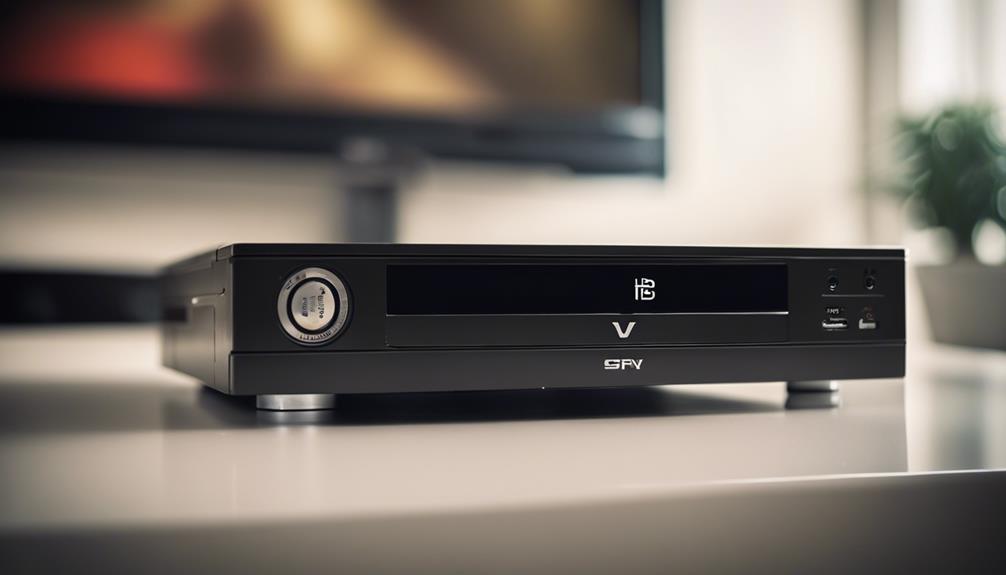

A DVD player spy camera combines the appearance of a familiar home-entertainment device with surveillance and recording functions. Its value depends on more than discreet placement: image quality, recording controls, storage, connectivity, and ease of setup all affect how practical it is for monitoring a space.
Because this type of device is designed to be inconspicuous, responsible use is essential. Always consider privacy expectations, obtain consent where required, and follow applicable laws before recording or viewing people. A camera should not be used to monitor private areas or individuals unlawfully.
Key DVD Player Spy Camera Features
Discreet, compact design
The camera is built into a DVD-player-style enclosure, allowing it to fit naturally among other home or office electronics. Its compact form can make placement easier in suitable locations without requiring a large mounting bracket or obvious security-camera housing.
Discreet placement should not be confused with permission to record secretly. Even when a device blends into its surroundings, the people in the monitored area may still have legal or ethical privacy rights. Use the camera only for a clearly justified purpose and in accordance with local requirements.
Video recording and image clarity
Video quality determines how useful recorded footage will be when reviewing activity. A capable camera can capture sharper images and more visible detail, which may make it easier to understand what happened within the monitored area.
Before relying on the footage, check the device’s recording resolution, frame rate, file format, and available storage requirements. Good image quality cannot compensate for poor positioning, glare, obstruction, or insufficient lighting, so the camera should be placed with a clear view of the intended area.
Motion detection
Motion detection allows recording to begin when movement is detected in the camera’s field of view. This can reduce unnecessary footage compared with recording continuously and may make important events easier to locate during playback.
Motion-triggered recording is not perfect. Changes in light, moving shadows, pets, or other activity may trigger recordings, while movement outside the detection area may not be captured. Test the camera’s placement and sensitivity before depending on it for monitoring.
Night vision for low-light conditions
Night vision supports recording when visible lighting is weak or absent. Infrared illumination, where provided, enables the camera sensor to capture footage in conditions that appear dark to the human eye.
Night footage may look different from daytime video, often with reduced colour information and varying levels of detail. Nearby reflective surfaces can also affect the result. Check sample recordings at night to confirm that the coverage is adequate for the intended location.
Remote viewing
Some versions offer remote access through a mobile device or computer. Remote viewing can provide a live view of the camera’s feed without requiring someone to remain beside the recorder.
Remote access may depend on network connectivity, device compatibility, and an accompanying application or viewing system. Secure any account, network connection, or password associated with the camera, and avoid sharing access credentials unnecessarily.
Loop recording
Loop recording is designed for ongoing capture. When available storage is filled, the camera overwrites older files with newer recordings. This reduces the need to stop recording manually or delete files after every session.
Loop recording also means that footage can be lost if it is not saved promptly. If an event may be important, copy the relevant file to another storage location before the camera overwrites it. The length of each recording segment and the overwrite behaviour may vary by device.
MicroSD card storage
A MicroSD card can provide local storage for recorded video and still images. The card’s capacity affects how much footage can be retained, while recording quality and motion activity affect how quickly that capacity is used.
- Confirm that the card type and capacity are supported by the camera.
- Format the card using the device’s recommended procedure when appropriate.
- Transfer important files regularly rather than keeping the only copy on the camera.
- Replace unreliable or damaged cards to reduce the risk of corrupted recordings.
Installation and placement considerations
The setup process generally involves connecting the unit to power, inserting compatible storage if required, and linking it to a viewing device when remote access is supported. Follow the supplied instructions and test recording, playback, motion detection, and night vision before using the camera operationally.
A wide-angle lens can cover more of a room than a narrow lens and may reduce blind spots. However, wider coverage can also make distant subjects appear smaller. Position the device to balance overall coverage with the level of detail needed, while avoiding areas where recording would violate privacy expectations.
Choosing and using the device responsibly
A DVD player spy camera may offer compact placement, motion-activated recording, low-light support, remote viewing, loop recording, wide-angle coverage, and MicroSD storage. The most suitable feature combination depends on the location and purpose of monitoring.
Use the camera transparently and lawfully wherever possible, inform affected people when required, protect recorded files, and limit access to authorised users. These steps are as important as the device’s technical features when creating a responsible monitoring setup.