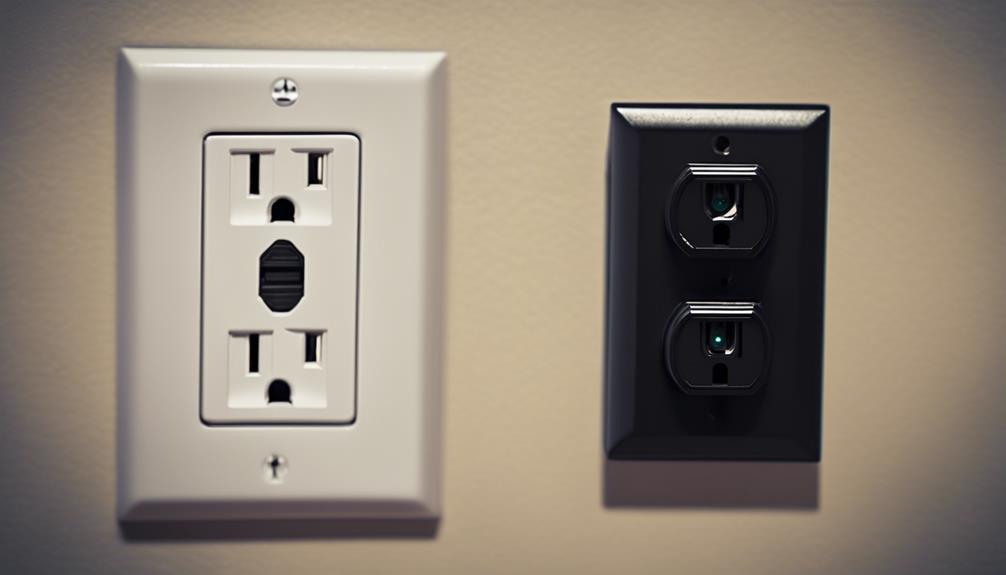

GFCI outlet spy cameras are designed to combine a familiar electrical outlet appearance with discreet video monitoring. Their main appeal is the ability to place a camera in an ordinary-looking location without adding a conspicuous standalone security device. Depending on the model, they may offer motion-activated recording, remote viewing, wireless connectivity, and practical outlet functionality.
Before choosing or installing one, it is important to understand which features are actually included, how the device receives power, and whether its use complies with local privacy and recording laws.
Discreet Outlet-Style Design
The camera is built into an outlet-style housing so that it can blend with the surrounding wall and electrical fixtures. This can be useful when a conventional camera would be visually distracting or difficult to position. A compact lens and integrated housing help maintain a low-profile appearance while allowing the device to monitor the selected area.
Discretion should not be confused with unlimited placement. The camera should be positioned only where recording is lawful and appropriate. Avoid bedrooms, bathrooms, changing areas, or any other private space unless everyone affected has provided clear, informed consent.
Two Functions in One Device
Many products in this category are intended to provide both an outlet-style electrical function and video monitoring. This dual-purpose design can make the device less visually prominent than a dedicated indoor camera and may help it fit naturally into an office, entryway, storage area, or other permitted location.
However, the electrical and camera functions can vary considerably between products. Some models may replace an existing wall outlet, while others may use a different power arrangement. Check the product documentation to confirm whether the outlet remains functional, whether it provides GFCI protection, and what installation method is required.
Motion-Activated Recording
Motion detection allows the camera to begin recording or send an alert when movement is detected within its viewing area. This can reduce the need to watch a live feed continuously and may help focus saved footage on periods when activity occurred.
Useful motion-recording features may include adjustable sensitivity, configurable detection zones, clip length settings, and a recording loop. These options are not universal, so review the specifications before purchase. Nearby movement, changing light, pets, or other activity can affect how reliably motion detection operates.
Video Quality and Storage
Clear footage is important when reviewing an event. The supplied specifications may describe the camera as capable of HD recording, but image quality also depends on lighting, viewing angle, lens placement, network performance, and the way files are stored or compressed.
Storage requirements should also be considered. A device may save motion-triggered clips locally, maintain a continuous recording loop, or use another storage method described by the manufacturer. Confirm the supported storage capacity, expected recording duration, file access process, and what happens when available space is full. Protect recorded files with strong account credentials and limit access to authorized users.
Remote Viewing and Wireless Access
Models with wireless connectivity may let you view a live feed through a smartphone, tablet, computer, or dedicated app. Remote access can be useful for checking a permitted area while away from the property and, on some devices, for reviewing alerts or stored clips.
Performance depends on the camera’s network connection and the quality of the wireless signal at its installation point. During setup, use the manufacturer’s instructions, change any default password, enable available security controls, and keep the camera’s app or firmware updated when updates are provided. Remote viewing should be treated as a convenience rather than a guarantee of uninterrupted monitoring.
Installation and Electrical Safety
Although some outlet-style cameras may be designed for a relatively simple setup, replacing or modifying a wall outlet can involve mains electricity. Do not assume that installation is wiring-free merely because the device has a familiar plug or outlet appearance.
- Turn off power at the appropriate circuit before opening an electrical box.
- Follow the product’s installation instructions and confirm compatibility with the existing wiring.
- Verify that the GFCI and outlet functions operate correctly after installation.
- Use a qualified electrician if you are uncertain about wiring, grounding, circuit protection, or local electrical requirements.
- Test the camera’s viewing angle, motion detection, network connection, and storage before relying on it.
Responsible Use
A discreet camera should be used transparently and lawfully. Recording rules differ by location, particularly when audio is captured or when people outside your property may be recorded. Inform occupants, visitors, employees, or other affected individuals when consent or notice is required. Do not use the device to invade someone’s privacy or to monitor areas where people reasonably expect privacy.
Choosing the Right Model
When comparing GFCI outlet spy cameras, look beyond the hidden-camera design. Check the recording resolution, motion-detection controls, storage method, remote-viewing requirements, outlet functionality, installation instructions, and security features. A suitable model should meet both your monitoring needs and your electrical, privacy, and legal responsibilities.