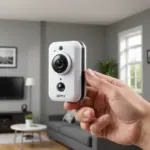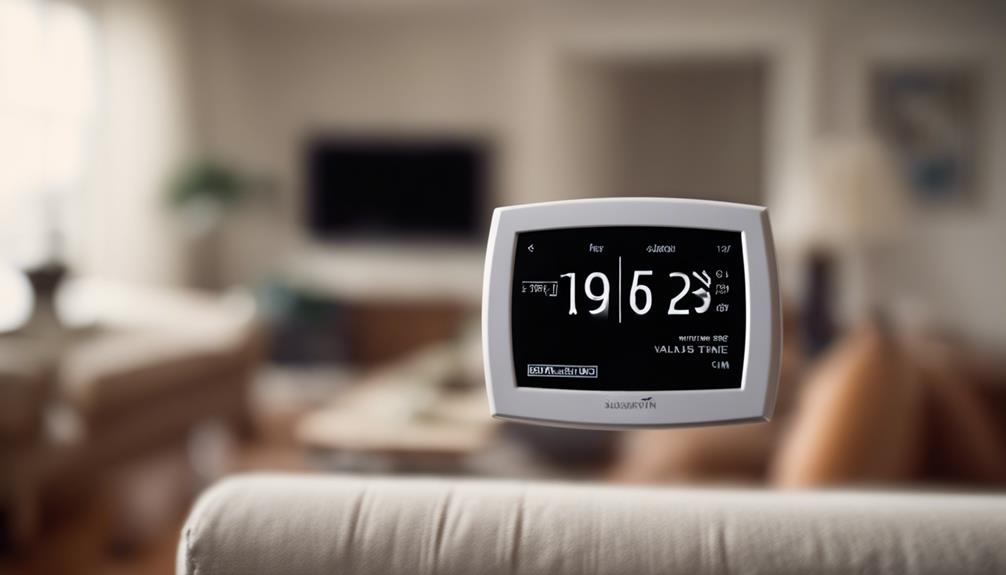

Hidden cam forums bring together people who want practical information about small surveillance cameras, compact recording equipment and related privacy questions. Unlike product listings, community discussions often focus on the details that are difficult to evaluate from specifications alone: real battery performance, image quality in poor lighting, network reliability, firmware behaviour and the complications of installing a camera in a particular environment. Members on Hidden Cam Forum discuss advanced covert features that enhance stealth recording, connectivity, and battery life.
These communities can be useful for research and troubleshooting, but discreet surveillance also carries significant legal and ethical risks. A responsible approach treats privacy, consent and device security as essential parts of the project rather than afterthoughts.
What people look for in a hidden cam forum
Members commonly use forums to compare equipment, diagnose faults and learn from installation experiences. A discussion may include sample footage, notes about lighting conditions, motion-alert performance or the effect of a firmware update. These first-hand reports can reveal limitations that are not obvious in marketing material.
Common reasons for visiting include:
- Comparing compact cameras for lawful home, business or wildlife-monitoring purposes.
- Understanding battery life, local storage and network requirements.
- Finding solutions to connection, recording or motion-detection problems.
- Checking whether a device works with a network video recorder or a compatible smart-home system.
- Learning how to protect recordings and restrict access to authorised users.
- Discussing consent, notice and the rules that apply in a particular location.
Features worth evaluating
Image resolution is only one part of a camera’s performance. A higher resolution can provide more detail, but the result also depends on the sensor, lens, lighting and compression settings. Forum comparisons often examine footage in daylight, low light and scenes with movement rather than relying on a single promotional image.
Hardware considerations
- Sensor and lens: Sensor size, focal length and aperture affect detail, field of view and low-light performance.
- Night recording: Infrared illumination and low-light sensors may produce different results, including changes in colour or visible illumination.
- Power: Battery capacity, motion-trigger settings and standby behaviour influence how long a device can operate.
- Storage: Local memory, removable storage and network recording each involve different reliability and privacy trade-offs.
- Connectivity: Wi-Fi range and stability matter if footage or alerts must travel across a network.
Software and security
Users also discuss motion detection, person detection, alert accuracy, audio features and compatibility with recording platforms. These functions should be tested in the intended environment because false alerts and missed events can result from lighting, reflections, pets or changing backgrounds.
Security deserves equal attention. Look for clear information about firmware updates, account protection, encryption and access controls. Change default passwords, keep supported devices updated and avoid exposing a camera directly to the internet unless there is a well-understood security reason. If cloud storage is used, review its privacy settings and retention options before uploading sensitive footage.
Lawful and ethical applications
Small cameras may be considered for property security, documenting a safety issue, monitoring a permitted workplace area or observing wildlife without disturbing it. The appropriate setup depends on the purpose, location and people who may be recorded. Forum discussions often compare Blink image clarity with other discreet monitoring options, especially in varied lighting.
Rules vary by jurisdiction and may treat video and audio differently. Recording in a private area, capturing conversations without the required consent or monitoring employees without proper notice can create serious legal and ethical problems. Before installing a device, check applicable local law and any workplace, tenancy or safeguarding requirements. When consent is required, obtain it clearly and keep a record of the agreement.
Avoid using forum advice to conceal surveillance from people who have a reasonable expectation of privacy. Do not share identifiable footage, access credentials or installation details that could expose another person to harm. When footage may be relevant to a dispute or incident, preserve the original files, document access and avoid editing the only copy.
How to assess advice in a forum
Community experience is valuable, but not every post is a reliable review. Give greater weight to discussions that include the model number, firmware version, test conditions and supporting footage. Look for independent replies, long-term updates and reports that acknowledge weaknesses as well as strengths.
When asking for help, provide useful technical context without revealing private information. Include the camera model, software or firmware version, connection type and a concise description of the problem. Remove usernames, addresses and other identifying details from screenshots. A well-described question is more likely to receive a practical answer and less likely to encourage unsafe experimentation.
Using the community responsibly
The best hidden cam forums balance technical knowledge with accountability. Use them to understand equipment, improve security and evaluate legitimate monitoring needs—not to bypass consent or facilitate intrusive recording. Read the forum’s rules, verify important claims, protect the privacy of everyone shown in shared examples and consult a qualified local adviser when the legal position is unclear.
Approached carefully, a forum can help readers make better-informed decisions about compact cameras while keeping privacy, security and lawful use at the centre of the discussion.