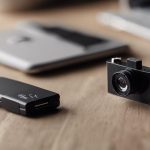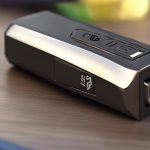

Live-feed hidden cameras combine a compact camera, wireless connectivity, and software for viewing video as it is captured. They may be used for security, property monitoring, caregiving, or wildlife observation, but their discreet design also creates significant privacy and legal responsibilities. The best choice depends not only on image quality and remote access, but also on whether the intended use is lawful, proportionate, and respectful of the people being recorded. Check how real time streaming depends on codecs, latency reduction, and encrypted transmission for discreet monitoring.
How live-feed hidden cameras work
A typical device contains a small image sensor, a lens, a processor, and a wireless connection. Depending on the model, it may connect to an existing Wi-Fi network, create a direct local network, or use cellular connectivity. Video is then sent to a smartphone, tablet, or computer through a local connection or a remote service.
Live streaming requires the camera to compress video before transmission. Image resolution, network strength, processing capability, and the service used to deliver the feed all affect clarity and delay. A live feed may be viewed continuously or accessed only when needed. Some models also support recording, motion alerts, night viewing, two-way audio, time-lapse capture, or cloud storage.
Features worth comparing
Specifications can vary considerably, so compare features according to the environment and monitoring task rather than choosing solely by camera size.
- Image quality: Higher resolution can make details easier to identify, but it may also require more bandwidth and storage.
- Low-light performance: Infrared illumination or a sensor designed for dim conditions can improve visibility after dark.
- Motion detection: Motion-triggered recording and alerts can reduce unnecessary footage and conserve battery power.
- Power options: Mains power is suitable for fixed locations, while batteries make placement more flexible but require charging or replacement.
- Storage: Local memory and cloud storage each have different maintenance, privacy, and availability considerations.
- Mobile support: Check that the manufacturer’s application works with your phone and provides the controls you actually need.
- Security controls: Look for strong account protection, encrypted connections, firmware updates, and the ability to change default credentials.
Connectivity and remote viewing
Wi-Fi is common in live-feed cameras because it supports viewing over a home or office network. Some devices can also provide a direct connection when no conventional network is available. Remote viewing from outside the local network usually depends on an app or cloud relay, which can add convenience but also introduces another account and service that must be secured.
Before installation, confirm that the camera receives a reliable signal at its intended location. A weak connection can cause buffering, dropped feeds, or delayed notifications. Change the default password, use a unique account password, enable two-factor authentication when available, and keep the camera and app updated. Avoid sharing access credentials and remove access for anyone who no longer needs it. For discreet live monitoring, a compact 1080p option can provide clearer footage without drawing attention.
Appropriate uses and planning
Potentially appropriate applications include monitoring an entrance, checking a property you own or manage, observing a permitted work area, or studying wildlife in a suitable outdoor setting. In a home or workplace, plan the system around a clearly defined purpose instead of recording more space or time than necessary.
Choose a position with a clear view and minimal obstruction, then test the field of view during both daylight and darkness. Consider whether movement from pets, curtains, traffic, or changing light will trigger false alerts. For continuous monitoring, verify that the power supply and storage capacity are sufficient. For remote access, test live viewing and notifications before relying on the system.
Privacy, consent, and responsible use
A camera should never be used to record people in places where they reasonably expect privacy, such as bathrooms, changing areas, or private sleeping spaces. Audio recording may be subject to stricter consent rules than video, and requirements differ by location. Recording employees, tenants, guests, children, caregivers, or visitors can involve additional obligations.
When monitoring a shared home, workplace, rental, or care setting, consider providing clear notice and obtaining consent where required. Limit access to authorized people, retain footage only for as long as necessary, and protect recordings from unauthorized viewing or disclosure. If a recording may be used in a dispute or investigation, preserve the original file and document how it was obtained and stored.
Making a sensible choice
The right live-feed hidden camera is not necessarily the smallest model. Balance image quality, reliable connectivity, power, storage, app support, and security updates. If iPhone or other mobile access is important, confirm operating-system compatibility and test the application before installation. Most importantly, use discreet monitoring only for a legitimate purpose and within applicable privacy rules. A technically capable camera is useful only when it is deployed responsibly.