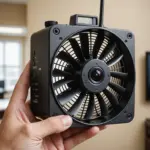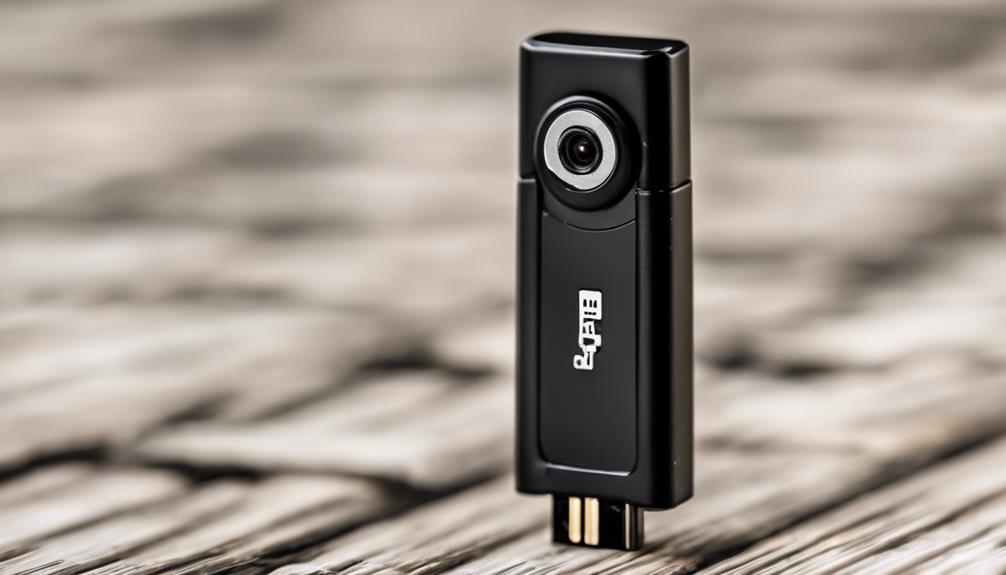

A micro micro camera is an extremely compact imaging device designed for situations where space is limited or a larger camera would be impractical. These cameras may be used for property security, equipment inspection, or other legitimate monitoring tasks. Their small size can make installation more flexible, but it also creates important challenges involving lighting, power, image quality, network security, and privacy. Explore specific camera types to understand how micro cameras differ in design, placement, and purpose.
What is a micro micro camera?
The term generally describes a camera module that is smaller than a conventional compact or micro camera. Depending on the design, it may use a pinhole lens, miniature glass optics, or a flexible inspection head. Some models are standalone units, while others are built into a larger object or enclosure.
A small camera can be positioned in narrow gaps, inside machinery, or within a carefully designed security installation. However, a tiny exterior does not automatically mean better performance. Sensor quality, lens design, available light, and power capacity usually have a greater effect on the final footage than the camera’s physical size alone.
Important features to compare
Before choosing a camera, define where it will be used and what the recording must show. The following specifications have the greatest practical impact:
- Sensor and resolution: Resolution affects visible detail, while sensor size has a major influence on low-light performance and image noise.
- Lens and viewing angle: A wide-angle lens can cover more of a room, while a narrower view may provide clearer detail at a particular distance. Aperture also affects brightness and depth of field.
- Lighting performance: If the area is dim, check whether the camera supports usable low-light recording or infrared night vision. Test for glare and shadows before final installation.
- Storage: Recording may be saved to a microSD card, a connected device, or a remote service. Confirm capacity, retention settings, and how footage can be exported.
- Connectivity: Wired video can be dependable but may require more complex installation. Wi-Fi provides flexibility and remote access, but it depends on network coverage and secure account settings.
- Power: Battery operation is convenient for temporary placement, while a wired supply is more suitable for continuous monitoring. Motion-triggered recording can reduce power and storage use.
Common camera formats
Different designs suit different environments. Pinhole cameras can fit behind a very small opening, although the opening must not be obstructed and the lens still needs a clear view. Wearable or button-style modules are intended for compact personal equipment, where permitted. Other units are installed inside purpose-built enclosures that match the surrounding environment.
Inspection cameras are a separate category. Endoscopic or flexible models may place the lens at the end of a narrow cable, allowing technicians to examine pipes, ducts, engines, and other confined areas. These cameras are designed for access and maneuverability rather than room surveillance.
Planning installation
Start by identifying the area that must be visible and the details that need to be captured. Mounting height, angle, distance, and nearby obstructions all affect the result. A camera that appears well hidden may produce poor footage if its lens is pointed toward a bright window, blocked by a frame, or placed too far from the subject. Para comparar opciones compactas, consulta nuestras cámaras de vigilancia discretas para distintos espacios.
Test the location in daytime and nighttime conditions before securing the device permanently. Check whether the image is sharp, whether faces or important objects are identifiable, and whether the camera remains connected throughout the intended coverage area. For a wired installation, route cables safely and avoid creating trip hazards or exposing connections to moisture.
Security and privacy responsibilities
Small cameras should be used only for lawful, clearly defined purposes. Recording private areas such as bathrooms, changing rooms, or bedrooms without permission can violate privacy laws and may carry serious consequences. Workplace, rental-property, and shared-space monitoring may also require notice, consent, or a clearly stated policy.
Responsible use includes limiting the camera’s view to the area that genuinely needs protection, avoiding unnecessary audio recording, restricting access to footage, and deleting recordings when they are no longer needed. Use strong, unique account credentials, enable available security protections, update device software when supported, and avoid exposing a camera directly to the public internet without appropriate safeguards. When local requirements are unclear, obtain legal advice before recording.
How to choose the right model
Match the camera to the task rather than choosing solely by size or headline resolution. For security monitoring, prioritize dependable low-light performance, reliable storage, and secure remote access. For temporary placement, consider battery life and motion detection. For machinery or duct inspection, prioritize cable flexibility, focusing distance, and physical durability.
Review the manufacturer’s specifications carefully and look for clear information about power requirements, storage limits, network security, and software support. An inexpensive camera may cost more in the long run if it has unreliable connectivity, weak security controls, poor night performance, or no practical way to retrieve recordings.
Used thoughtfully, a micro micro camera can provide access to tight spaces and support legitimate security or inspection work without requiring bulky equipment. Careful planning, realistic expectations about image quality, and respect for privacy are essential to deploying one safely and responsibly.