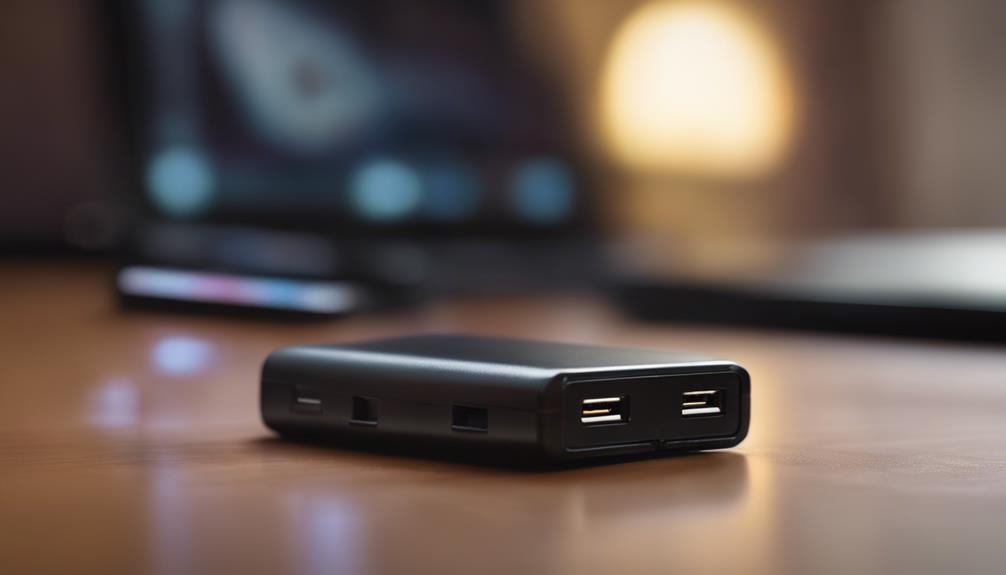

A mini 4G wireless Wi‑Fi camera is designed for situations where a full-size security system or fixed broadband connection is impractical. Its compact body can be easier to position than conventional surveillance hardware, while 4G LTE connectivity allows remote access through a compatible mobile network. Wi‑Fi may also be available for nearby setup, configuration, or viewing. Compare Mini 4G models with categories used to organize different types of covert surveillance devices.
These cameras can be useful at remote properties, temporary worksites, vehicles, and other locations where wired internet is unavailable. However, suitability depends on network coverage, power availability, data costs, storage options, and the privacy rules that apply to the installation.
What is a mini 4G wireless Wi‑Fi camera?
Unlike a Wi‑Fi-only camera, a 4G model can transmit video over a cellular network using a compatible SIM card and data plan. This means the camera does not necessarily need a local broadband router at the site. Wi‑Fi support, where included, may be used for initial setup or local access rather than as the primary remote connection.
Typical models may include motion alerts, infrared or low-light viewing, two-way audio, local recording, and remote access through a mobile app. Features vary considerably, so the product specifications should be checked before purchase rather than assumed from the camera’s size or marketing description.
Features worth comparing
Image quality and night performance
Resolution is one of the first specifications to review. A mini 4G wireless Wi‑Fi camera HD model may provide clearer footage than a lower-resolution device, but resolution alone does not determine useful image quality. Lens design, lighting, compression, viewing angle, and night-vision performance also affect whether important details can be seen.
If the camera is intended to identify people, vehicles, or activity at a particular distance, consider the expected lighting and field of view as well as the stated resolution. A wide-angle lens can cover more space, while a narrower view may provide greater detail in a specific area.
Connectivity and storage
- 4G compatibility: Confirm that the camera supports the network bands and SIM arrangement used by the chosen carrier.
- Wi‑Fi access: Check whether Wi‑Fi is intended only for setup or can be used for regular local viewing.
- Storage: Look for support for microSD recording, cloud storage, or both, and review any recurring subscription charges.
- Mobile alerts: Motion or sound notifications can be useful, but sensitivity controls are important for reducing false alerts.
- App security: A reliable app, strong account protection, and secure remote access are important when footage is transmitted over the internet.
Power and durability
Battery-powered operation can make installation easier, but recording continuously or transmitting frequent alerts can reduce runtime. For longer deployments, compare battery capacity, standby modes, charging arrangements, and any solar charging option. If the camera will be used outdoors, check its weather resistance and mounting requirements. A strong cellular antenna or a suitable installation position may also improve reliability where signal strength is limited.
Where these cameras can be useful
Mini 4G cameras are often considered for cabins, holiday properties, construction areas, storage locations, and other sites without dependable fixed internet. They can also suit temporary installations such as pop-up businesses, remote equipment, trailers, and containers, provided the camera has appropriate power and network coverage. For discreet monitoring beyond portable connectivity, clock camera options provide a more concealed placement in everyday rooms.
In vehicles or mobile settings, vibration, temperature, mounting security, and power consumption deserve particular attention. For caregiving, childcare, workplace, or shared-property monitoring, the device should be used transparently and only where recording is permitted. Remote wildlife or environmental observation may also benefit from cellular alerts, although battery life and signal availability can limit deployment time.
Setup and installation guidance
- Check that the SIM card, data plan, and network bands are compatible with the camera.
- Install the manufacturer’s app or use the supplied setup method to configure the device and account.
- Enter any required APN information if the camera does not configure the cellular connection automatically.
- Test 4G reception at the intended mounting point before permanently installing the camera.
- Choose local, cloud, or combined storage and set recording, motion, and notification preferences.
- Change the default password and enable two-factor authentication if the service provides it.
A location with a clear path for the cellular signal may perform better than a concealed position surrounded by dense materials or metal. For temporary use, a secure magnetic mount or compact bracket can make repositioning easier, but the camera should still be protected against theft and accidental movement.
Privacy and legal responsibilities
Recording laws differ by jurisdiction. Do not place a camera in areas where people reasonably expect privacy, such as bathrooms or private bedrooms. Monitoring employees, tenants, visitors, family members, or shared spaces may require notice, consent, signage, or compliance with specific workplace and privacy rules. Audio recording can be subject to additional restrictions.
Before installation, identify who may be recorded, what areas are visible, how long footage will be retained, and who can access it. Use a strong unique account password, limit shared access, update the camera when supported, and protect stored footage from unauthorized viewing.
How to choose the right model
Begin with the installation rather than the feature list. For a remote property, prioritize reliable 4G support, weather resistance, power management, and practical storage. For identification, compare image quality and low-light performance. For mobile use, consider vibration, mounting, and data consumption. Finally, calculate the total cost, including the camera, SIM or data plan, cloud fees, memory card, mounting hardware, and replacement or charging requirements.
A mini 4G wireless Wi‑Fi camera can be a practical alternative when wired surveillance is unsuitable, but dependable results come from matching the device to its location and purpose. Checking connectivity, power, security, storage, and legal requirements before installation will help avoid problems after deployment.