
A security camera screen is the point where recorded or live video becomes useful to the person responsible for monitoring it. The display may be a dedicated monitor connected to a recorder, a computer running video management software, a browser dashboard, or a mobile app. Whatever form it takes, the quality and organization of the viewing interface affect how easily an operator can notice activity, investigate an event, and respond appropriately. Explore discreet monitoring uses to understand how concealed devices support varied security and observation needs.
What a security camera screen does
Modern surveillance systems can combine several camera feeds in one interface. A user might view a single camera in detail, arrange multiple feeds in a grid, review stored footage, or enlarge a camera automatically when motion or another configured alert occurs. The screen itself does not improve the underlying recording, so the camera resolution, network connection, recorder, and display must work together.
Important characteristics include:
- Resolution: A higher-resolution display can show more detail, particularly when several high-definition feeds are arranged together.
- Screen size and viewing distance: A large display is not automatically better if the operator sits close to it or cannot comfortably scan the entire image.
- Latency: A noticeable delay between an event and its appearance can make live response more difficult.
- Layout controls: Useful software should make it simple to switch between cameras, enlarge a feed, search recordings, and identify alerts.
- Connectivity: The display may receive video through a recorder, local network, computer, or remote application, each of which introduces different reliability and security considerations.
Choosing a monitoring setup
The right arrangement depends on the number of cameras, the area being observed, and whether the main task is general awareness or detailed review. A small installation may need only one monitor showing a single camera or a modest grid. A larger operation may use multiple displays so that an operator can keep an overview on one screen while examining a priority feed on another.
Before choosing a screen, consider the following questions:
- How many feeds must be visible at the same time?
- Will the operator need to identify fine details, or mainly observe movement and activity?
- How far will the viewer sit from the display?
- Does the recording system support the intended resolution and number of simultaneous streams?
- Will the system be monitored locally, remotely, or both?
- What should happen if the network, recorder, or power supply fails?
A high-resolution monitor can be helpful, but it cannot compensate for a low-quality camera, poor lighting, excessive compression, or an unstable connection. Layout design is equally important: too many small tiles may technically show every camera while making individual events difficult to see. A practical arrangement gives the most important views enough space and allows the operator to expand a feed quickly.
Legitimate uses of discreet cameras
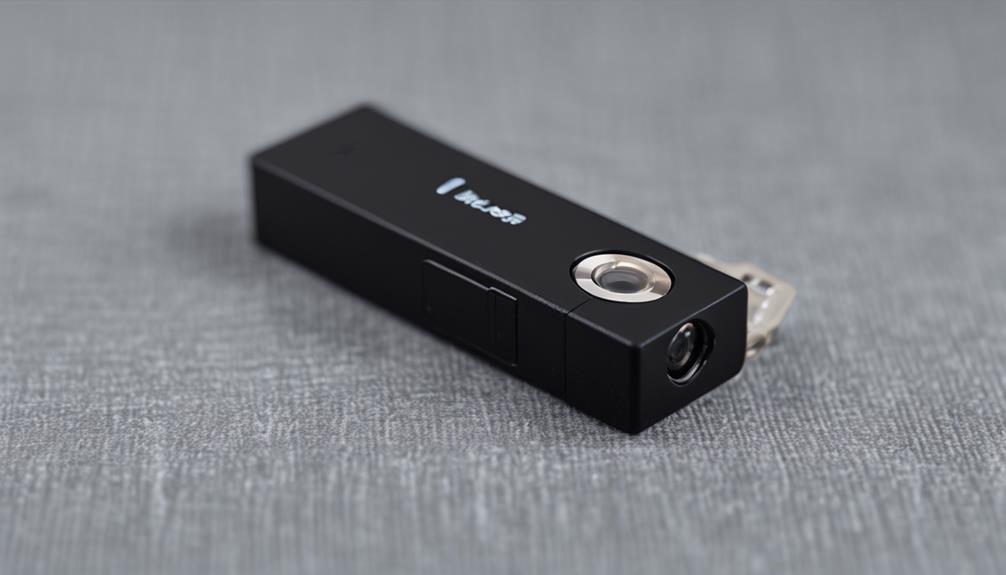
Small or concealed cameras may be used for security or care-related purposes, but their use must respect privacy and applicable law. Possible legitimate purposes described in the source material include checking a remote property, observing an entrance or equipment area, documenting deliveries, or monitoring common spaces in a care setting. A discreet device should never be treated as permission to record people wherever convenient.
Before installing one, determine whether consent, notice, signage, or other safeguards are required. Areas where people reasonably expect privacy—such as bathrooms and bedrooms—require particular caution and may be legally protected. Organizations should define the purpose of recording, limit access to authorized users, and avoid collecting footage that is unrelated to that purpose. A clear security cameras screen becomes more useful when paired with an Android viewing app for Wi-Fi monitoring.
Protecting live views and recordings
A security camera screen can expose sensitive information if the viewing station or connected account is poorly protected. Use unique passwords and, where available, multi-factor authentication. Limit permissions according to each person’s role, keep an access record when the system supports it, and avoid sharing administrator credentials.
Remote viewing deserves the same care as local monitoring. Secure authentication, encrypted connections, updated software, and a properly protected network reduce the risk of unauthorized access. Recordings should have a defined retention period rather than being kept indefinitely by default. If footage may be used to investigate an incident, document when it was collected, where it was stored, and who was permitted to handle it.
Maintenance and troubleshooting
Regular checks help ensure that a screen and its connected cameras work when needed. Clean the display and camera lenses, confirm that timestamps are synchronized, test motion alerts, and verify that recordings can be retrieved. Apply camera, recorder, and video-management updates in a controlled way, and check backups for important footage.
If a feed is missing, check power, cabling, network connectivity, recorder capacity, and user permissions before replacing equipment. If the display is crowded or difficult to interpret, review the camera layout and reduce unnecessary simultaneous feeds. For systems that must remain available during outages, consider suitable power protection and a documented recovery procedure.
Responding to suspected unauthorized cameras
If you suspect that a camera has been installed without permission, record its location and relevant details without tampering with it. Notify the property owner, responsible manager, or appropriate authorities, depending on the circumstances. Physical inspection and specialized detection equipment may help identify devices, but suspected privacy violations should be handled carefully so that evidence is not damaged and personal safety is not put at risk.
A well-designed security camera screen is more than a large picture of a camera feed. It is part of a complete monitoring process that includes suitable equipment, clear layouts, secure access, lawful deployment, regular maintenance, and responsible handling of recordings.