
A garage often serves as more than a place to park a vehicle. It may contain tools, bicycles, packages, equipment, workshop materials, or valuable personal property. A well-planned camera system can provide a clear view of activity, help document incidents, and make it easier to check the space when you are away. Explore garage monitoring ideas to understand practical ways discreet cameras support safety, awareness, and property oversight.
Why install a camera in the garage?
Garage monitoring can address several practical concerns. A visible camera may discourage theft or unauthorized access, while recorded footage can help document a break-in, property damage, or an accident. Remote access is also useful when you need to confirm whether a delivery arrived, whether a garage door was left open, or whether work is being carried out as expected.
For households that use the garage as a workshop or storage area, footage may also help establish what happened after tools, vehicle parts, or other items go missing. If the garage is used by family members, tradespeople, or service providers, a camera can provide useful oversight without requiring someone to be physically present.
Choosing a security camera for garage use
Garage conditions can differ from those inside the main living area. Dust, temperature changes, dim lighting, and weak wireless signals may affect performance. Before choosing a camera, consider the following features:
- Low-light performance: Night vision or another low-light mode is important if the garage is dark after sunset.
- Resolution: A clearer image makes it easier to identify people, vehicles, packages, and other details.
- Field of view: A wide view can cover more of the room, but a narrower view may provide greater detail at a doorway or workbench.
- Motion detection: Adjustable activity zones can help limit alerts caused by pets, passing vehicles, or moving objects.
- Power and connectivity: Wired power and Ethernet may be more dependable than a battery or Wi-Fi connection in some garages.
- Storage: Check whether recordings are saved locally, in the cloud, or through both options.
Where to position the camera
Placement determines whether a garage camera produces useful evidence or merely records an incomplete view. A high corner position often provides broad coverage of the vehicle bay, interior door, storage areas, and garage entrance. Avoid placing the camera directly opposite a bright window or garage door, since strong backlighting can make people appear as silhouettes.
If your main concern is activity at the entrance, aim the camera toward the garage door and the approach to it. If protecting stored items is more important, position the camera to include shelving, tool areas, and other high-value locations. Test the view during both daylight and darkness. Open and close the garage door, walk through the space, and check whether faces and important details remain visible.
Visible and discreet camera options
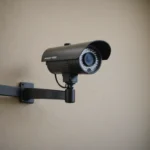
A visible security camera is usually the simplest choice. Its presence may deter unwanted behavior, and visitors are less likely to misunderstand the purpose of the device. A discreet camera may be considered when a less noticeable appearance is important, but concealment should never reduce image quality, block ventilation, create a fire or electrical hazard, or record areas where people reasonably expect privacy. For broader coverage beyond the garage, compare cloud-enabled home cameras that securely store footage for convenient remote access.
Discreet monitoring should be limited to legitimate property-security purposes. Do not use a concealed device to record private living spaces, bathrooms, changing areas, or other sensitive locations. Depending on where you live, recording audio or people who are not aware of surveillance may also be subject to specific rules. Tell household members, workers, and regular visitors about monitoring where appropriate, and avoid pointing the camera toward neighboring property.
Remote viewing, alerts, and account security
Many camera systems allow you to view a live feed through a mobile app or connected display. Alerts can notify you when motion is detected, while two-way audio may allow communication with someone near the garage. Configure activity zones carefully so that alerts focus on doors, vehicles, and interior areas that matter most.
Protect remote access with a strong, unique password and any available account security features. Keep the camera software updated, review connected devices periodically, and avoid sharing access more broadly than necessary. A convenient “show me the garage camera” request is only useful if the account and network are properly secured.
Maintenance and troubleshooting
Inspect the system regularly. Clean dust from the lens, check battery levels when applicable, and confirm that recordings are being saved. If the connection is unreliable, test the signal at the camera location rather than beside the router. A wired connection, improved network placement, or an extender may help, depending on the layout.
Review motion settings after seasonal changes or reorganizing the garage. New shelving, stored vehicles, reflective surfaces, or changing daylight can affect detection and image quality. Save and back up important clips promptly if they may be needed for an insurance claim or report.
Plan for useful, respectful coverage
The best garage camera setup balances coverage, reliability, privacy, and ease of use. Start by deciding what you need to see, then choose a camera and mounting position that support that goal. Whether the device is clearly visible or more discreet, it should provide a dependable view without creating unnecessary privacy or safety concerns.