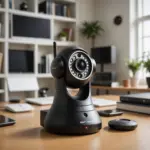

A SIM card security camera connects to a cellular network instead of relying on a local Wi-Fi connection. With a compatible SIM and data plan, it can send motion alerts, video clips, and live footage to a mobile app or cloud service. This makes cellular cameras useful for locations where wired internet is unavailable, unreliable, or too difficult to install. Consider cellular surveillance uses to evaluate how SIM‑enabled security cameras inform covert recording applications today.
These systems can be used at rural properties, construction sites, vehicles, temporary businesses, agricultural locations, and other places that need flexible remote monitoring. However, the camera, cellular plan, power source, storage method, and privacy obligations all need to be considered before installation.
How a SIM Card Security Camera Works
A cellular security camera contains a mobile modem and a slot for a SIM card, similar to the one found in a smartphone. After activation, the camera uses the carrier’s network to communicate with its app or cloud platform. Depending on the model, it may support live viewing, motion-triggered recording, scheduled recording, push notifications, and two-way audio.
Some cameras also include a microSD card slot. Local storage can provide a backup when the cellular connection is weak, while cloud storage can preserve footage if the camera is damaged or stolen. The available features vary considerably between models, so check the manufacturer’s specifications before purchasing.
Where Cellular Security Cameras Are Useful
The main advantage of a SIM-enabled camera is that it can operate independently of a local broadband router. Common applications include:
- Remote properties: Monitor cabins, outbuildings, seasonal homes, and land where fixed internet is not available.
- Construction sites: Keep watch over equipment, materials, and changing site conditions without installing a permanent network.
- Vehicles and fleets: Use suitable vehicle cameras to document incidents or monitor cargo while a vehicle is in service.
- Temporary locations: Add surveillance at events, pop-up stores, agricultural sites, or short-term work areas.
- Rental and property management: Provide temporary monitoring around permitted exterior areas between occupants or during maintenance.
Placement should always respect privacy. Do not install a camera in bathrooms, bedrooms, or other areas where people reasonably expect privacy. Recording inside workplaces, rental properties, or shared spaces may also require notice or consent, depending on local law.
Choosing the Right Camera and Data Plan
Begin by checking cellular coverage at the exact installation site. A carrier that works well on a phone in one area may not provide the same performance at a remote property or inside a vehicle. Confirm that the camera supports the carrier’s network bands and SIM requirements.
Next, estimate how much data the camera will use. Continuous high-definition streaming consumes substantially more data than short, motion-triggered clips. Consider: For broader property monitoring, cellular 4K coverage can complement a SIM-enabled camera with clearer outdoor footage.
- How often motion is likely to occur
- Whether live viewing will be frequent
- The video resolution and frame rate
- How long recordings must be retained
- Whether the plan is prepaid, monthly, or tied to the camera manufacturer’s service
Event-based recording can reduce data usage, but it may not capture everything that happens between motion events. For important locations, compare the camera’s alert settings, recording duration, and ability to save footage locally as well as remotely.
Power, Storage, and Installation
Mains power is usually the simplest option when it is available. Remote installations may instead use a rechargeable battery, solar charging, or a combination of both. Battery life depends on factors such as signal strength, temperature, recording frequency, night vision, and live-view use. Test the expected operating time before relying on the camera for unattended monitoring.
Install the camera on a stable mount with a clear view and adequate cellular reception. Test the signal at the intended position rather than assuming that coverage at ground level will match coverage higher on a wall or pole. Weather-resistant housing and tamper-resistant mounting can be important for outdoor deployments.
For discreet placement, the goal should be unobtrusive lawful monitoring rather than secretly recording people. Avoid modifying safety equipment or placing a camera where concealment could create a misleading impression. Make sure the lens is not blocked and that warning notices are provided when required.
Security and Privacy Best Practices
- Use a strong, unique account password and enable two-factor authentication if available.
- Change any default camera or administrator credentials.
- Install firmware updates from the manufacturer when they are provided.
- Secure the carrier account and protect the SIM from unauthorized use.
- Choose encrypted connections and review who can access live video or recordings.
- Set a retention period so footage is not stored longer than necessary.
Surveillance laws differ by location and may address audio recording, consent, notices, employee monitoring, tenants, and public areas. Before installation, check the rules that apply to the property and the people being recorded. Responsible planning protects both the usefulness of the system and the privacy of those nearby.
Advantages and Limitations
SIM card security cameras offer quick deployment, mobility, and independence from local Wi-Fi. They are especially practical for temporary or remote sites. Their disadvantages include recurring data charges, variable network performance, battery maintenance, and possible cloud-storage fees. Budget models may also provide limited security updates or weaker access controls.
A cellular camera is a strong option when dependable local internet is not practical. Select a device with suitable coverage, power, storage, and security features, then install it in a way that is lawful, transparent, and respectful of privacy.