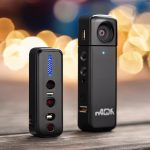

Wireless surveillance systems offer a flexible way to monitor a home, business, rental property, or remote location without installing extensive cabling. The right setup can provide clear video, dependable alerts, and convenient access from a mobile app. However, a system should be judged by more than resolution or a long feature list. Connectivity, storage, privacy, maintenance, and total cost all affect its real-world performance. For discreet monitoring options, explore compact devices that complement wireless surveillance systems in homes and offices.
What makes a wireless surveillance system stand out?
A top-rated wireless surveillance system balances image quality with dependable operation. A camera that records sharp video but frequently loses its connection is not a practical security solution. When comparing systems, consider the following:
- Video quality: Higher resolution can make faces and other details easier to identify, while good low-light performance helps preserve useful footage after dark.
- Stable connectivity: Wireless performance depends on distance, walls, interference, and the design of the network. Check that the system is suitable for the intended installation area.
- Motion detection: Person detection and adjustable activity zones can reduce unnecessary alerts caused by animals, trees, or passing traffic.
- Power options: Battery-powered cameras are easy to place but require charging or battery replacement. Plug-in, wired, and solar-assisted models may be better for locations needing continuous coverage.
- Storage choices: Cloud recording provides off-site access, while microSD cards or network storage can reduce recurring fees and keep footage locally available.
- Software support: A clear app, secure account controls, and firmware updates are important for both usability and protection against avoidable security problems.
Choosing cameras for different environments
Homes and apartments
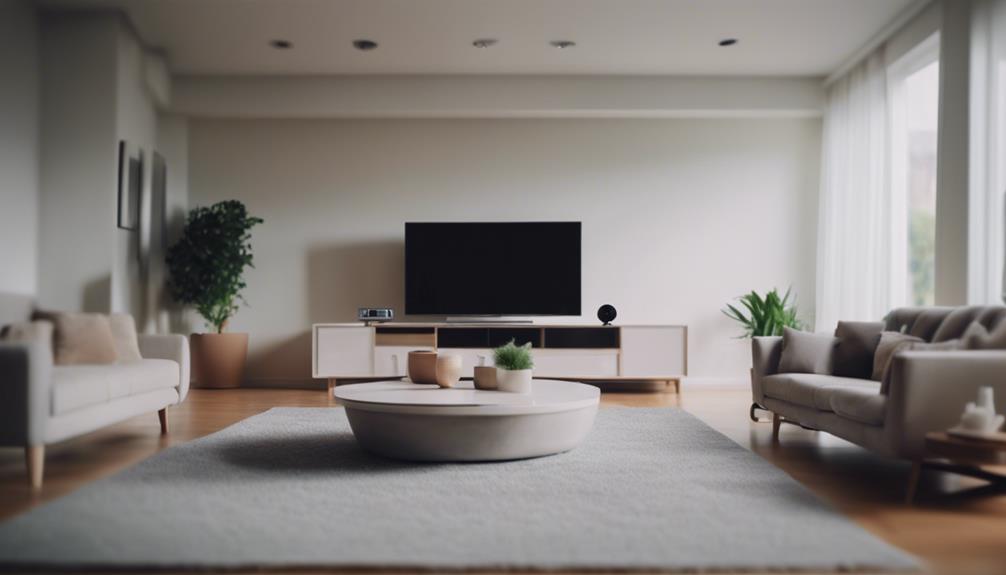
Indoor cameras can help monitor entrances, common areas, pets, or sensitive equipment. Renters may prefer compact, plug-and-play models that can be relocated without permanent changes to the property. Outdoor cameras should be selected for the conditions they will face and positioned to cover doors, paths, garages, or other priority areas without unnecessarily recording neighboring properties.
Small businesses
Wireless systems can be useful for storefronts, entrances, stockrooms, and receiving areas where running cable would be disruptive or expensive. A business installation should account for wider coverage, longer recording retention, user permissions, and the need to review footage efficiently. Higher-quality cameras are usually most valuable at entrances and other locations where identifying people or activity matters most.
Remote locations
Properties without convenient access to mains power may benefit from battery or solar-assisted cameras. Before choosing this type of system, assess sunlight, seasonal conditions, wireless coverage, and how often the equipment can be physically checked. A camera that is difficult to reach may need a power arrangement designed for long periods between maintenance visits.
Features worth prioritising
Night vision is essential for around-the-clock monitoring, but performance varies in darkness and challenging lighting. Test or review how a camera handles backlighting, shadows, and movement rather than relying only on its stated resolution. Two-way audio can help communicate with visitors, while a built-in siren may provide a local deterrent in appropriate circumstances.
Storage deserves careful attention. Cloud plans may offer remote backups and longer retention, but they can add a continuing subscription cost. Local storage may provide faster access and lower ongoing expenses, although recordings could be lost if the camera or storage device is damaged or removed. Some users choose a combination of local and off-site storage for important coverage areas. For larger properties, commercial outdoor setups extend wireless surveillance coverage with weather-resistant monitoring and dependable remote access.
Security controls are equally important. Look for encrypted communications, strong account authentication, separate user permissions where needed, and a manufacturer that provides firmware updates. Use a unique password for the camera account and enable two-factor authentication when it is available.
Installation and maintenance tips
- Check wireless signal strength at the exact mounting position, not just inside the property.
- Position outdoor cameras slightly downward to improve views of faces and entry points while limiting unnecessary sky and glare.
- Avoid aiming cameras directly toward bright lights or reflective surfaces.
- Secure outdoor connections and confirm that the camera is suitable for exposure to weather.
- Inspect battery levels, solar panels, lenses, and mounting hardware on a regular schedule.
- Keep the camera firmware, mobile app, router, and account security settings updated.
- Review motion zones and notification sensitivity after installation to reduce false alarms.
Budgeting for the complete system
Entry-level cameras may be suitable for basic indoor monitoring and commonly focus on standard video, motion notifications, and simple app access. Mid-range systems may add person detection, improved battery life, smart-home integration, or more flexible storage. Premium equipment can provide higher-resolution video, stronger construction, advanced analytics, and features intended for demanding residential or commercial installations.
Compare the total cost rather than the purchase price alone. Include cloud subscriptions, replacement batteries, additional storage, mounting accessories, network upgrades, and any professional installation or monitoring services. A practical approach is to place the best-performing cameras at critical points, such as main entrances, and use simpler models where detailed identification is less important.
Privacy, consent, and responsible use
Discreet or compact cameras can be useful in legitimate monitoring situations, but they must never be used to invade someone’s reasonable expectation of privacy. Recording private spaces such as bathrooms or changing areas may be illegal, and rules concerning audio recording, employees, caregivers, tenants, and visitors vary by location. Businesses may also need visible notices about video monitoring.
Before installing a camera, consider who may be recorded, whether consent or signage is required, and whether the field of view can be narrowed to avoid neighboring homes or private areas. When local requirements are unclear, seek advice based on the laws that apply where the system will be used.
Make the system fit the purpose
The best wireless surveillance system is the one that matches the location, power supply, coverage priorities, network conditions, storage needs, and budget. Prioritise dependable connectivity, useful footage in the available lighting, secure software, and a maintenance plan. With thoughtful placement and responsible use, wireless cameras can provide effective monitoring with less installation disruption than a fully cabled setup.