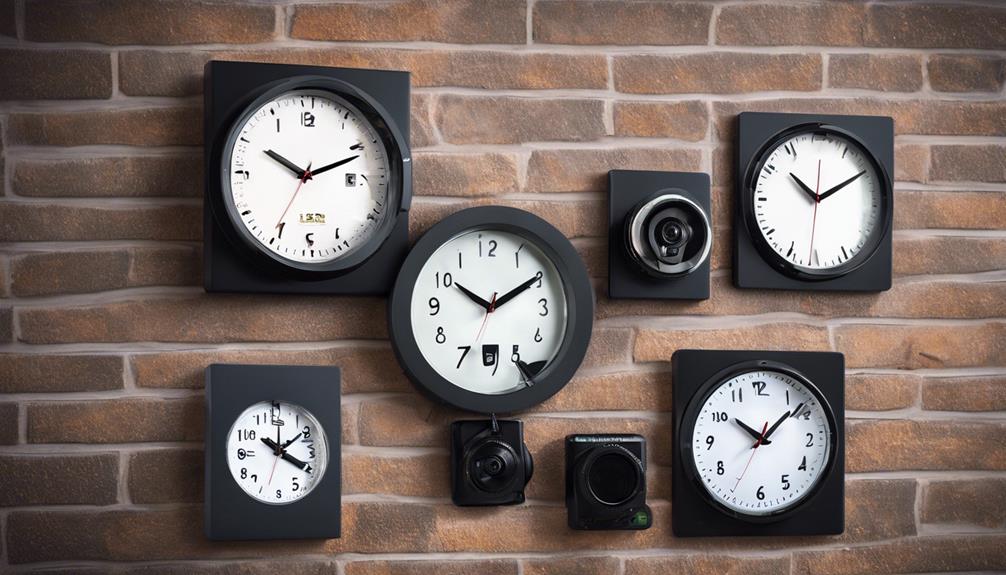

Wall clock cameras combine an everyday room accessory with discreet video monitoring. Models may include audio recording, motion detection, night vision, wireless connectivity, or remote viewing. Because features and performance can vary considerably, the best choice depends on the space being monitored, the viewing angle required, available power, and the legal rules that apply to recording.
Audio surveillance requires particular care. Recording conversations without the required consent may be unlawful, and a camera should never be used in places where people reasonably expect privacy, such as bedrooms or bathrooms. Before installing any device, check the rules in your region and use visible notice or informed consent where required.
10 wall clock camera configurations to compare
1. Modern-style wall clock camera
A contemporary clock camera is designed to fit naturally into a modern home, office, or reception area. Look for a clean face, an unobstructed lens position, and controls that are easy to reach during setup. Its appearance should suit the room without encouraging placement in an inappropriate or overly private location.
2. Classic-design hidden surveillance clock
A traditional clock face may be more suitable for rooms with conventional furnishings. As with any wall-mounted camera, placement matters more than appearance. Install it where the lens has a clear view of the intended area, while avoiding angles blocked by furniture, decorations, or glare from windows and lights.
3. High-definition audio recording clock
Some clock cameras are promoted primarily for their audio performance. Clear sound can add context to video, but recording quality depends on the microphone, distance, background noise, and the room’s acoustics. Do not assume that a device advertised as high-definition will capture every conversation clearly. Test audio only in a lawful, consent-based setting.
4. Wireless wall clock camera with audio
A wireless model can simplify installation by reducing the need for a video cable. It may also provide access to recorded footage or live video through a connected device. Wireless placement is flexible, but the clock still needs reliable power and a stable connection. Test the signal from the final mounting position rather than assuming coverage based on proximity to the router.
5. Night-vision clock camera
Night vision is useful for monitoring areas that become dim after normal working hours. Check whether the camera provides useful detail in low light and whether nearby surfaces reflect its infrared illumination. Night vision does not guarantee a clear image in complete darkness, through obstructions, or across a large room.
6. Motion-detection wall clock camera
Motion detection can reduce unnecessary recordings by activating the camera when movement is detected. Sensitivity settings are important: overly sensitive detection may record shadows, curtains, or pets, while low sensitivity can miss relevant movement. Review the settings after installation and confirm that the camera records the area you actually need.
7. Wi-Fi-enabled audio surveillance clock
A Wi-Fi-enabled clock can support remote viewing or audio monitoring where the product and network allow it. Connection stability, account security, and device access should be considered before relying on remote features. Use strong passwords, restrict access to authorised users, and remember that remote audio recording remains subject to privacy and consent requirements.
8. Mini wall clock camera
A compact clock camera may be appropriate where wall space is limited. Its smaller size can make installation less intrusive, but miniaturisation may also mean a narrower viewing angle, shorter battery life, or less capable audio. Compare the camera’s field of view with the area you need to cover instead of choosing solely on size.
9. Battery-powered hidden audio clock
Battery operation can help when a wall outlet is unavailable. Before choosing this type, consider operating time, battery replacement, and whether the device continues recording when power is low. A battery-powered camera should be checked regularly so that it does not silently stop working. Avoid placing it where maintenance would require entering a private area without permission.
10. Rotating-lens wall clock camera
A rotating lens can provide greater flexibility by changing the viewing direction without moving the clock. This may help cover a wider room, although rotation does not necessarily provide a full panoramic view. If remote adjustment is available, test the controls and confirm that the lens does not point into areas where recording would be inappropriate.
Installation and testing checklist
- Choose a lawful location with no reasonable expectation of privacy.
- Mount the clock securely at a height and angle that provide a clear view.
- Check for glare, shadows, obstructions, and unwanted areas in the frame.
- Test video, audio, motion detection, night vision, and remote access separately.
- Confirm that wireless connectivity remains stable from the installed position.
- Label or disclose the recording equipment when required by local law or policy.
Maintenance and responsible use
Clean the lens periodically with a suitable soft cloth and inspect the clock’s mounting hardware. Review storage capacity, battery condition, and connection status on a regular schedule. Keep recordings secure, limit access to people who need it, and delete footage when it is no longer required. A wall clock camera should support a clearly defined security purpose—not covertly record people in private spaces.