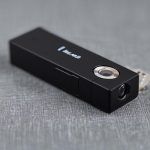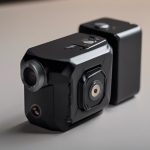

A wireless infrared camera combines low-light imaging with cable-free video transmission. It can monitor an area in darkness or near darkness while sending footage to a receiver, smartphone, local storage device, or cloud service, depending on the system. This makes it useful for home security, nighttime wildlife observation, and other monitoring tasks where installing video cables is impractical.
How wireless infrared cameras work
These cameras use an image sensor that can detect infrared light, along with infrared LEDs that illuminate the scene when visible light is insufficient. The illumination is normally invisible to people, although some cameras may produce a faint glow depending on the infrared wavelength and design. The resulting image is commonly displayed in monochrome at night.
After capturing video, the camera compresses the footage and transmits it wirelessly. Depending on the model, the connection may use Wi-Fi or another wireless link. The quality and reliability of the system therefore depend on more than the camera itself: distance from the receiver, walls, interference, network performance, and available power all affect day-to-day operation.
Common applications
Wireless infrared cameras are suitable for legitimate monitoring situations where visibility is limited and a wired installation is inconvenient. Examples include:
- Home security: Monitoring entrances, hallways, garages, or other areas of a property at night.
- Care and safety: Checking on a sleeping child, an older family member, or a pet when nighttime visibility is important.
- Wildlife observation: Recording nocturnal animals without using bright visible lighting that may disturb the scene. A compact infrared camera can be useful for observing animals such as owls.
- Business security: Documenting activity in appropriate areas where surveillance is lawful and properly disclosed.
Although some products are marketed for covert or hidden-camera use, discreet placement does not remove privacy obligations. A camera should never be used to record people in places where they reasonably expect privacy, such as bathrooms or changing areas.
Features to evaluate before buying
Night-vision performance
Check the camera’s infrared range, field of view, and image quality in darkness. A wider view may cover more of a room, while a narrower view can provide greater detail at a particular distance. Manufacturer range figures should be treated as guidance rather than a guarantee of clear identification in every environment.
Wireless reliability and security
Confirm that the camera can maintain a dependable connection from its intended location. Thick walls, long distances, and competing wireless devices can reduce performance. Review available security settings, use strong account credentials, and protect the network used to access the camera.
Power and recording options
Battery operation offers flexible placement but requires charging and careful attention to runtime. Motion-triggered recording can reduce unnecessary battery and storage use. Mains-powered cameras may be more suitable for continuous monitoring, provided the power cable can be installed safely. Also check whether footage is stored locally, remotely, or through a cloud service.
Useful extras
Motion detection, two-way audio, alerts, adjustable infrared settings, and weather protection can all be valuable, but only if they support the intended purpose. Avoid choosing features that add complexity without improving the monitoring task.
Placement and installation tips
- Test the wireless connection at the proposed location before permanently mounting the camera.
- Position the lens to avoid glare from windows, reflective surfaces, or nearby lights.
- For indoor security, a high corner position can provide broad coverage while reducing accidental obstruction.
- For outdoor use, choose a location protected from moisture and extreme temperatures, and use equipment designed for outdoor conditions.
- Check the nighttime image after installation. Infrared reflections from walls, glass, or close objects can wash out the picture.
- If discreet placement is appropriate and lawful, verify that infrared illuminators do not reveal the camera’s position.
Privacy, consent, and responsible use
Surveillance rules differ by jurisdiction and by situation. Recording in a private space without permission may be unlawful, and workplace monitoring can involve notification, consent, or other legal requirements. In a home, protecting property is a legitimate aim, but guests, caregivers, tenants, and other occupants may still have privacy rights.
Before installing a camera, identify what is being monitored, who may appear in the footage, how long recordings will be retained, and who can access them. Use the narrowest camera view and shortest retention period that meet the purpose. Clear communication and consent are especially important when monitoring people rather than property.
Maintenance and troubleshooting
Periodically check the battery or power supply, lens cleanliness, date and time settings, storage capacity, and wireless signal. Keep the camera’s software updated when updates are available, and change default passwords. If the video feed is unreliable, test the signal closer to the router or receiver, reduce sources of interference, and review whether the camera is exceeding the practical range of the connection.
Review stored footage regularly and delete recordings that are no longer needed. This reduces storage demands and limits the consequences of unauthorized access. With careful selection, secure installation, and respect for privacy, a wireless infrared camera can provide useful nighttime monitoring without the limitations of a fully wired system.