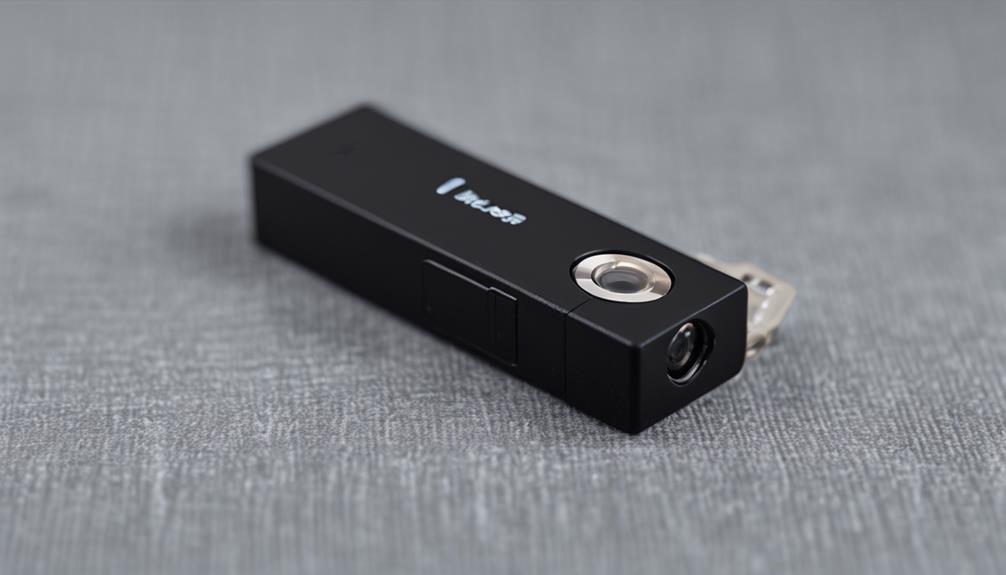

A Wi-Fi motion sensor camera combines wireless connectivity with motion-activated recording. Instead of capturing video continuously, it can begin recording or send an alert when movement is detected. This approach can reduce unnecessary footage, conserve storage, and make it easier to respond quickly to activity around a home, office, or other property.
How Wi-Fi Motion Sensor Cameras Work
These cameras typically bring together three main systems:
- Motion detection: A passive infrared (PIR) sensor detects changes in heat, while software-based detection analyzes movement in the video image. Some cameras use both methods.
- Imaging and recording: The camera captures video when motion meets its configured threshold. Depending on the model, footage may be saved to a microSD card, a cloud service, or both.
- Wi-Fi connectivity: A wireless network connection can support live viewing, mobile notifications, remote settings, and access to recorded clips.
Additional features vary by device. Night vision, low-light recording, built-in microphones, speakers, and two-way audio are common options, but they should not be assumed to be included in every model.
Where They Are Commonly Used
A Wi-Fi motion sensor camera can be useful anywhere activity needs to be checked without reviewing hours of empty footage. Typical applications include monitoring an entrance, driveway, garage, garden, storage area, or small business after closing. Notifications can help users investigate a delivery, an unexpected visitor, or movement during a specified time period.
Motion activation can also be useful for installations that rely on batteries. Recording only when activity occurs may extend the time between charges, although actual battery life depends on settings, temperature, network strength, and how often motion is detected.
Choosing a Camera for Outdoor Use
An outdoor wireless motion detector camera needs to withstand conditions that indoor equipment is not designed to handle. Check the manufacturer’s weather-resistance rating and installation guidance rather than relying on appearance alone. Protection against rain, dust, temperature changes, and direct sunlight may be important for the intended location.
Power is another major consideration. Battery-powered models are easier to install but require charging or replacement. Hardwired cameras can provide more consistent operation, while compatible solar accessories may reduce maintenance in suitable locations. Also consider whether the camera can maintain a reliable connection from its proposed mounting point to the Wi-Fi router.
Outdoor motion detection can produce unwanted alerts from passing vehicles, moving branches, pets, or changing light. Adjustable sensitivity, detection zones, and human-focused detection settings can help reduce these notifications when available.
Placement and Setup Tips
Good placement affects both detection accuracy and image quality. Position the camera so the area of interest is visible and the motion sensor has an unobstructed view. Sensors often detect movement more reliably when a person crosses the field of view rather than approaches the camera directly.
- Keep the lens clear of walls, foliage, and other obstructions.
- Avoid pointing directly at bright lights or reflective surfaces.
- Choose an angle that shows faces and access points without covering unnecessary areas.
- Test the Wi-Fi signal at the final position before completing installation.
- Adjust sensitivity and activity zones after observing normal movement patterns.
Secure the camera account with a unique password and enable two-factor authentication if the service supports it. Keep the camera’s software and mobile application updated, and use a properly secured home network.
Storage, Alerts, and Connectivity
Cloud storage can make footage accessible from multiple locations, but it may involve a subscription or account dependency. Local storage can provide more direct control over recordings, though the memory card itself may be damaged, removed, or filled over time. Some systems offer both options.
Wi-Fi cameras depend on more than the camera’s advertised range. Walls, building materials, network congestion, and router placement can affect live viewing and notification speed. A weak connection may lead to delayed alerts, incomplete uploads, or difficulty accessing footage remotely.
Privacy and Responsible Use
Use motion sensor cameras only in ways permitted by applicable law and appropriate to the people being recorded. Avoid placing cameras in spaces where individuals reasonably expect privacy, such as bathrooms or bedrooms used by others. Outdoor cameras should be aimed primarily at property you are authorized to monitor, rather than neighboring private areas.
Where appropriate, inform household members, employees, guests, or visitors about surveillance. Limit access to recordings, protect stored files, and decide how long footage needs to be retained. Discreet or concealed cameras require particular care: concealment does not remove privacy, consent, or recording-law obligations.
How to Compare Models
Before buying, prioritize the features that match the installation rather than choosing solely by resolution or price. Compare image quality in the expected lighting, motion-detection accuracy, notification controls, storage choices, power requirements, weather resistance, and the manufacturer’s approach to software and security updates.
A Wi-Fi motion sensor camera is most effective when its capabilities match the location. Careful placement, a stable network, sensible alert settings, and responsible data handling will usually matter as much as the camera’s headline specifications.