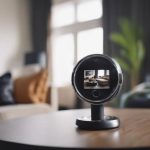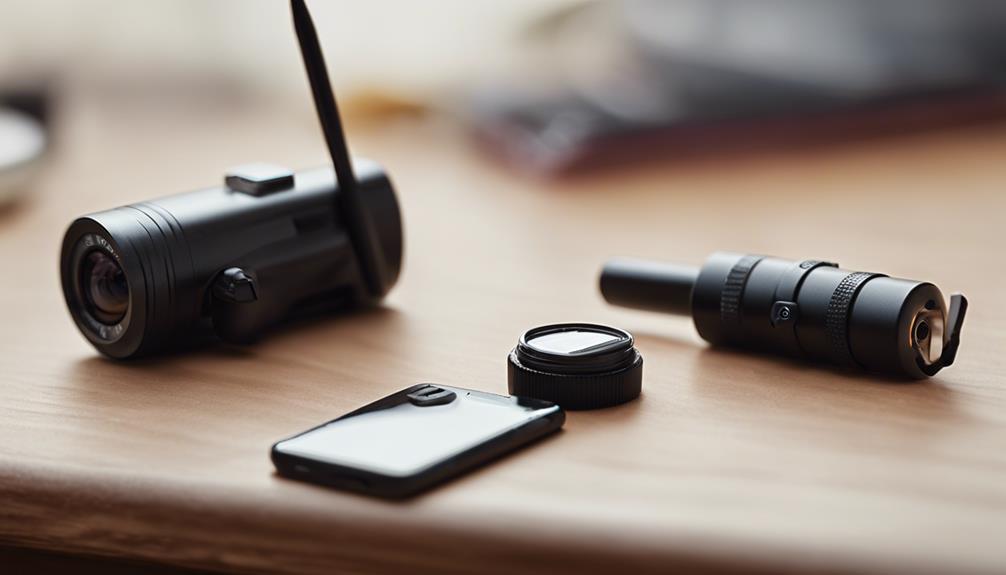

For families and caregivers looking to combine convenience with continuous monitoring, the Nest Camera Solar concept brings together the smart features of Nest cameras and the sustainability of solar power. Whether you’re evaluating a Nest Camera Solar setup to reduce charging interruptions or considering a nest cam solar accessory for long-term outdoor placement, this article walks through practical use cases, installation tips, privacy matters, and everyday maintenance that matter when using nanny cams. Consider solar nanny monitoring when using a Nest Camera Solar to observe caregivers without frequent battery changes.
How a Nest Camera Solar setup works
A Nest Camera Solar setup typically pairs a battery-powered Nest camera with a solar charging accessory. The camera captures video, audio, and motion events while the solar panel continuously tops up the camera battery during daylight hours. This arrangement reduces the need for frequent manual recharging and is especially useful in locations where running power cables is impractical, such as backyard gates, detached garages, or window-mounted views of a driveway.
When shopping for a nest cam solar option, you may find official accessories or reputable third-party chargers. Regardless of brand, the principle is the same: a photovoltaic panel charges the camera battery either directly or through a small power management module, allowing the camera to remain operational for longer stretches with minimal intervention.
Using solar-powered Nest cameras as nanny cams
For nanny cam applications, reliability and discreet placement are paramount. A solar-supported Nest Camera Solar configuration can keep a nanny cam running around the clock without frequent battery swaps, which is valuable for monitoring long daytime hours or ensuring coverage during vacations and remote workdays. Families often use such setups to keep an eye on children, caregivers, and household activity from a smartphone or tablet.
Outdoors, a solar-charged nest cam solar solution can monitor entryways, play areas, and backyard interactions. Indoors, the same benefits apply when sunlight is available through a window for supplemental charging. The goal is consistent uptime so caregivers’ arrivals, pick-ups, and daily routines are recorded reliably without the camera going offline due to a drained battery.
Installation and positioning tips for best performance
Proper installation is key to getting the most from a Nest Camera Solar system. Place the solar panel where it receives direct sunlight for the majority of the day, avoiding shade from trees, awnings, or neighboring buildings. Aim the panel toward the sun at an angle appropriate for your latitude to maximize energy capture. For many setups, mounting the panel a short distance from the camera enables flexible positioning: the camera can focus on the monitored area while the panel is placed in an optimal sunny spot.
When mounting the camera as a nanny cam, consider sightlines and privacy. Position the camera so it captures the activity you want to monitor—entryways, playrooms, or common areas—while avoiding private spaces where recording might be intrusive. Many Nest cameras offer adjustable mounts and magnetic bases that make it easier to align the image and secure the device at different heights and angles.
Power, connectivity, and storage considerations
Even with solar support, it’s important to plan for connectivity and storage. A stable Wi-Fi connection ensures live viewing and reliable upload of recorded events. Check that your router covers the camera’s location and that your home network has the bandwidth to stream high-definition video. If bandwidth is limited, adjust camera settings to lower resolution or reduce continuous streaming to conserve network resources. A solar nanny setup can power Nest cameras when repurposed as discreet in-home caregiver monitors.
Cloud storage and smart alerts are common features in Nest camera ecosystems. Many users subscribe to a cloud service to store motion-triggered clips and receive familiar features like facial recognition, activity zones, and extended event history. When selecting a nest camera solar setup for nanny cam use, compare storage plans and choose one that fits your needs for retention, privacy protections, and retrieval ease.
Privacy, legal, and ethical considerations for nanny cams
Recording caregivers and household visitors requires careful attention to privacy and local laws. Before installing a nanny cam—even a solar-powered Nest camera—check state and local regulations governing audio and video recording, as laws vary about consent and the expectation of privacy. Ethically, many families choose to inform caregivers that they are being recorded or provide written notice, fostering trust and clarity about boundaries in shared living spaces.
Respecting privacy also means placing cameras thoughtfully. Avoid pointing cameras at neighboring properties or areas where people have a reasonable expectation of privacy, such as bathrooms and bedrooms. Use built-in features like scheduled recording and activity zones to limit footage capture to relevant spaces and times, and secure access to camera feeds with strong passwords and two-factor authentication.
Maintenance and troubleshooting tips
Maintaining a nest cam solar system is straightforward but important for longevity. Clean the solar panel and camera lens periodically to remove dust, pollen, or bird droppings that can reduce charging efficiency and image clarity. Inspect mounting hardware and wiring to ensure everything remains secure, especially after storms or high winds.
If you experience charging issues, check for common causes: shade encroachment, panel orientation, loose connections, or firmware updates pending on the camera. Most Nest cameras provide status indicators in their companion app, showing battery level, charging status, and connectivity, which can help isolate problems quickly. Regular firmware updates often improve performance and security, so enable automatic updates where possible.
Choosing a Nest Camera Solar approach for nanny cam duties offers a blend of convenience, extended uptime, and flexibility in placement. By considering installation best practices, respecting privacy and legal boundaries, and keeping the system maintained, families can use solar-assisted Nest cameras to reliably monitor caregivers and household activity while minimizing interruptions from repeated recharging. As with any nanny cam deployment, thoughtful planning and clear communication are the keys to using the technology responsibly and effectively.