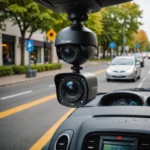

Outdoor security cameras that work with Google Home bring convenient voice control, live streaming, and smart automations to your property protection. Whether you want to check the driveway from the kitchen, automate lights when motion is detected, or integrate cameras into routines with other smart devices, choosing the right model and setup matters. This article explains how Google Home integration works with outdoor cameras, which camera types are best for different needs, practical use cases like how to stream backyard camera feeds, and what to consider when buying a nest compatible camera or other cameras that work with Google Home. Homeowners using Google Home for outdoor surveillance should consider covert recording options that match legal and connectivity requirements.
How Google Home integration works for outdoor cameras
Google Home and Google Assistant act as a control layer for many smart devices, including a growing selection of outdoor cameras. When a security camera is compatible with Google Home, you can use voice commands to view live feeds on Chromecast-enabled displays, Android phones, or Nest Hub devices, receive status updates, and include the camera in automations. A security camera works with Google Home by connecting to the same account ecosystem or through the camera manufacturer’s skill or cloud service that links to Google Assistant. For the best experience, look for cameras with explicit support for Google Assistant or the Nest home camera system.
Top types of outdoor cameras compatible with Google Home
Outdoor cameras that work with Google Home come in several form factors to suit specific spy camera types and traditional surveillance needs. Bullet cameras are long and weatherproof, ideal for driveways and fences. Dome cameras blend into eaves and are vandal resistant. Floodlight cameras combine bright illumination with motion-triggered video, offering both deterrence and visibility. Doorbell cameras provide a front-door view plus two-way audio. For discreet monitoring, small covert-style outdoor cameras in protective housings can be used where appropriate and legal, but homeowners should prioritize transparent placement and local laws. Many of the best cameras that work with Google Home are available across these forms, and manufacturers increasingly add Google Assistant support to their outdoor models.
Practical use cases: streaming, alerts, and routines
One of the most useful features for outdoor security cameras is the ability to stream a backyard camera feed on demand. For example, you can say, “Hey Google, show me the backyard camera,” and view a live stream on a Nest Hub or Chromecast TV. Home security cameras with Google Assistant also send motion alerts to your phone and let you reply hands-free to visitors or delivery drivers. Beyond live viewing, cameras can trigger smart lights, lock doors, and integrate into routines: detect motion at night and turn on outdoor lights, start a recording, and announce an alert through speakers. For families who want fast situational awareness, these automations turn a passive camera into an active part of a smart home defense plan.
Choosing the best camera for Google Home: features to compare
When shopping for the best security camera for Google Home, compare compatibility, video quality, night vision, weather rating, storage options, and two-way audio. Cameras compatible with Google Home should clearly list Google Assistant or Nest support on the product page. If you already use a Nest home camera system, selecting nest compatible cameras ensures the smoothest integration. Consider resolution (1080p or higher), field of view, and whether the device supports continuous cloud recording or local storage. For many homeowners, subscription plans that include intelligent alerts, person detection, and extended video history are a deciding factor, so evaluate those costs alongside hardware performance. Pair your outdoor Google Home cameras with a discreet photo frame for indoor, inconspicuous monitoring and routines.
Installation tips and privacy considerations
Installing outdoor cameras that work with Google Home requires both practical setup and attention to privacy. Place cameras high enough to reduce tampering and angle them to cover entry points while avoiding pointing directly into a neighbor’s window. Secure the Wi-Fi network with a strong password and enable two-factor authentication on your camera accounts to protect recorded footage. If using small or covert camera types outdoors, be mindful of local laws and ethical concerns; clear signage and transparent notification policies are important if cameras capture public areas or shared spaces. Regularly update the camera firmware and Google Home app to keep your system secure and functioning correctly.
Best cameras and ecosystem considerations
There isn’t a single best camera for Google Home that fits every home, but several brands stand out for compatibility and performance. The Nest cameras provide seamless integration with the Nest home camera system and Google Home, offering native support and easy streaming to Nest Hub displays. Other manufacturers have added compatibility, so researching “security cameras compatible with Google Home” will reveal reliable third-party options that also support local storage and advanced alerts. When choosing among the best cameras that work with Google Home, weigh how well the camera integrates into your existing ecosystem, how you prefer to store footage, and whether smart features like person detection or package alerts are important.
Outdoor security cameras that work with Google Home can transform how you monitor and protect your property. By understanding how integration works, choosing the right camera type, planning useful automations, and observing installation and privacy best practices, you can build a dependable and responsive outdoor monitoring system. Whether you need to stream backyard camera footage on demand or add a floodlight camera to deter intruders, selecting cameras that are compatible with Google Home and suited to your environment will deliver the best combination of convenience, security, and peace of mind.