
A camera with built-in WiFi can send live video to a phone, tablet, computer, or compatible cloud service without requiring a dedicated video cable. That makes wireless cameras useful for home monitoring, pet observation, child-care checks, and other legitimate security purposes. However, convenience does not remove the need to consider network security, reliability, privacy, and local surveillance laws. Compare wireless covert models to identify which built-in WiFi cameras match particular surveillance use cases.
How built-in WiFi cameras work
These cameras contain a wireless network module that connects to a household router. Some models can also create a direct wireless access point for initial setup or local viewing. Once connected, the camera may provide live streaming, motion alerts, remote playback, and access to recorded clips through a companion mobile app.
Storage options vary. A camera may save recordings to a memory card, a connected device, a manufacturer’s cloud service, or a combination of these. Local storage can reduce dependence on an internet connection, while cloud storage may make footage available if the camera is damaged or removed. Review how each option works before relying on it for important monitoring.
Common forms and camera designs
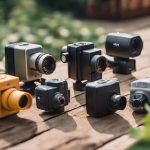
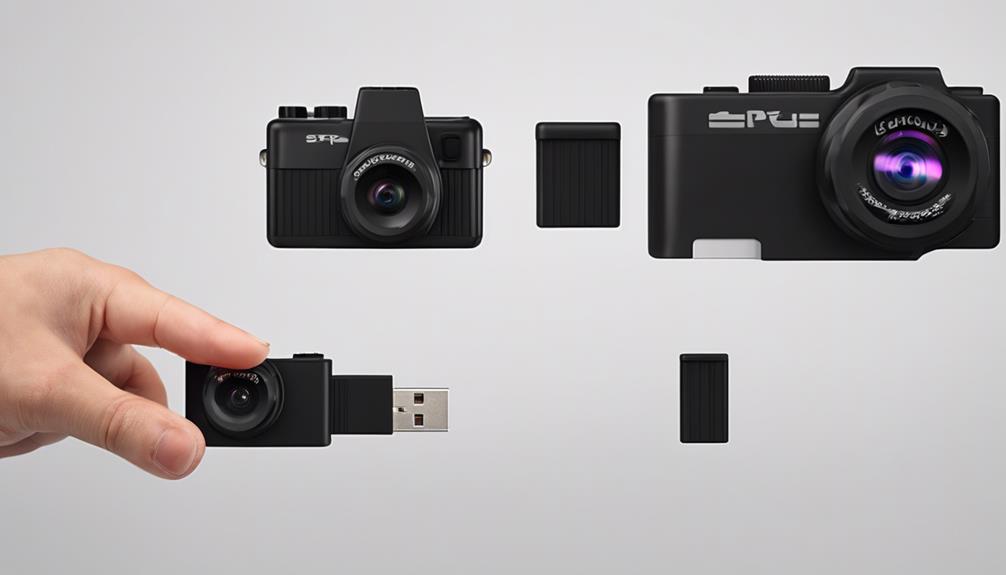
WiFi cameras are available in both conventional security-camera housings and small designs intended to blend into ordinary surroundings. Examples include compact indoor cameras, pinhole-style units, wearable cameras, and devices built into everyday objects such as chargers or clocks. A discreet appearance may be useful where a large camera would be distracting, but concealment should never be used to defeat privacy rights or applicable consent requirements.
For many households, a visible compact indoor camera is the better choice. It is easier to explain to visitors, simpler to position, and less likely to create confusion about whether people are being recorded.
What to assess before buying
- Video quality: Check the resolution, viewing angle, frame rate, and low-light performance. A wider view can cover more space but may show less detail at a distance.
- Power: Battery models are easier to place but require charging. Plug-in models provide more consistent operation, provided the cable and outlet are secure.
- Storage: Compare local recording, cloud plans, retention periods, and whether important clips can be downloaded.
- Alerts: Motion detection and adjustable notification thresholds can help prevent a phone from receiving unnecessary alerts.
- Network compatibility: Confirm that the camera works with the available WiFi band and that the intended location receives a stable signal.
- Security support: Look for strong account controls, encrypted connections, two-factor authentication where available, and a clear firmware-update process.
Installation and performance tips
Begin by installing the manufacturer’s app, powering the camera, and following the approved setup process. Use a strong, unique password for the camera account and avoid reusing the password for email, banking, or other services. If the camera supports two-factor authentication, enable it.
Place the device where it has a clear view of the area that actually needs monitoring. Avoid pointing it toward windows or bright lights if glare could obscure faces or activity. Keep the camera within reliable router range, and test the connection at different times of day. Before depending on it, verify live viewing, motion alerts, recording, playback, night vision, and audio settings if audio is enabled. Readers comparing built-in WiFi cameras can also explore discreet WiFi options and current hidden-device bargains.
Keep the camera’s firmware and mobile application updated. If remote viewing is unnecessary, turn off features that expose the device to the internet. A separate guest or smart-device network may also help limit what a compromised camera can access, depending on the capabilities of the router.
Reliability and privacy limitations
WiFi does not guarantee uninterrupted surveillance. Interference, router problems, power failures, weak signals, and full storage can cause missed events or incomplete recordings. Cloud features may also depend on an internet connection and an active service account. For important monitoring, understand what happens when the network or power goes offline and consider whether local recording or backup power is appropriate.
Privacy is equally important. Do not place cameras in bathrooms, changing areas, or other locations where people reasonably expect privacy. Audio can be subject to stricter consent rules than video, so disable microphone recording unless it is necessary and lawful. Shared homes, workplaces, rental properties, and care situations may require clear notice or consent.
Use surveillance responsibly
Before recording anyone, check the laws that apply to your location and situation. Rules can differ according to whether the camera is inside a private home, in a shared space, or used for employment, rental, investigation, or evidence collection. If footage may be needed for a dispute, preserve the original files, record relevant dates and settings, and avoid editing the only copy.
The best camera with built-in WiFi is not simply the smallest or most feature-rich model. It is one that provides dependable coverage, secure access, suitable storage, and a lawful, transparent purpose. Careful placement and responsible configuration will usually matter as much as the camera’s specifications.