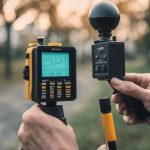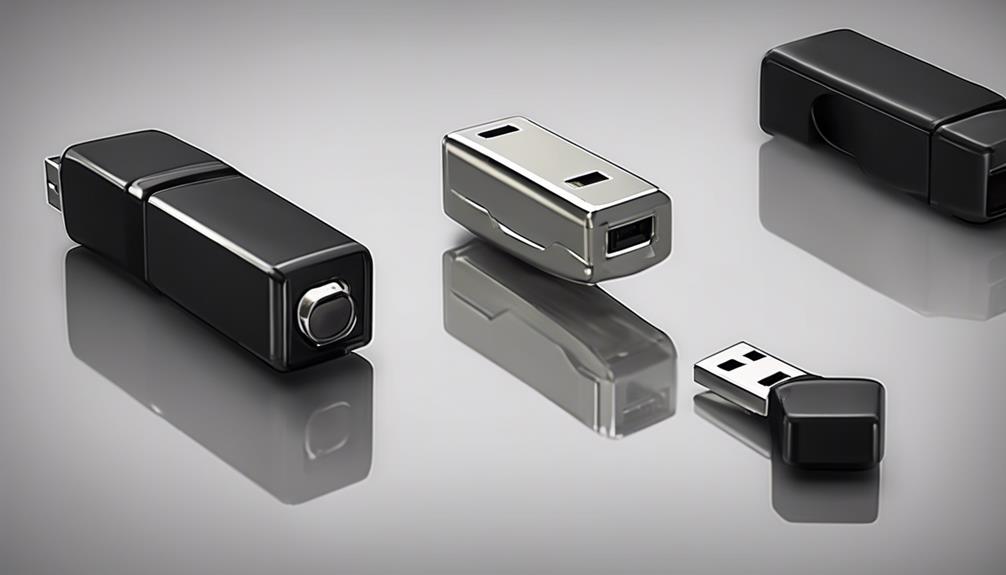

A hidden camera detector can help you check a hotel room, vacation rental, office, shared living space, or home for signs of unwanted recording. These tools are most useful when combined with a careful visual inspection and a clear understanding of what each detection method can—and cannot—find. Practical covert lens detection methods translate into real-world applications for privacy protection and surveillance management.
How hidden camera detectors work
Most detectors use one or both of two primary methods: radio-frequency scanning and optical lens detection.
Radio-frequency detection
Radio-frequency, or RF, detectors look for wireless signals sent by devices that transmit video or audio. A camera streaming over Wi-Fi or using another wireless transmitter may produce a detectable signal while it is powered and communicating.
RF detection is useful for locating active wireless equipment, but it is not a complete solution. It may not identify a wired camera, a battery-powered camera that is not transmitting, or a device using a signal outside the detector’s range. Other electronics—including Bluetooth devices, cordless phones, and baby monitors—can also create alerts.
Optical lens detection
Optical detectors, sometimes called lens finders, use light to help reveal the reflective surface of a camera lens. In a darker room, a lens may produce a noticeable glint when viewed from the right angle.
This method can help locate a camera even when it is not sending a wireless signal. However, it generally requires a direct or near-direct line of sight, and a lens that is deeply concealed or obstructed may be difficult to identify.
Combined detection methods
Multi-mode devices combine RF scanning with optical detection. Some products may also include infrared or thermal-related features. Using more than one method improves coverage because it addresses different types of devices rather than relying on a single signal or visual clue.
Where a detector can be useful
A privacy check may be appropriate wherever you have a reasonable concern about unauthorized recording. Common situations include: After checking for concealed devices, compare cellular security options for monitoring areas without relying on local Wi-Fi.
- Hotel rooms and vacation rentals before you unpack or settle in
- Meeting rooms and offices where confidential discussions take place
- Shared apartments, dormitories, and other communal living spaces
- Private rooms in a home where unexpected recording would be especially concerning
The likely hiding places vary by setting. In a bedroom or rental, inspect smoke detectors, alarm clocks, light fixtures, outlets, vents, decorative objects, and stuffed toys. In an office, pay particular attention to conference rooms, shared areas, power equipment, and objects positioned toward seating or workspaces.
How to perform a basic sweep
- Start with a visual inspection. Look for unfamiliar objects, small openings, unusual wiring, or items that seem out of place. Check whether everyday objects are aimed toward beds, desks, changing areas, or meeting tables.
- Reduce the light. Close blinds and turn off unnecessary lights if you are using an optical lens finder. Move slowly and scan suspicious objects from several angles.
- Scan for wireless signals. Turn on the RF detector and move through the room methodically. Note areas with stronger or changing alerts, especially near outlets, vents, corners, and decorative items.
- Investigate alerts carefully. Identify ordinary electronics in the area before assuming that every signal indicates a camera. Temporarily switching off known devices may help distinguish them from an unexplained source.
- Check the network when appropriate. A phone or network-scanning tool connected to the same Wi-Fi network may reveal unfamiliar connected devices. This approach will not find cameras that are offline, wired separately, or using a private point-to-point connection.
Work systematically rather than relying on a quick pass. A detector can point to an area that deserves closer inspection, but it does not replace examining the object itself.
What to consider when choosing a detector
- Detection methods: A combination of RF scanning and optical lens detection generally offers broader coverage than either method alone.
- Frequency coverage: If wireless detection is important, review the device’s stated frequency range and the types of transmitters it is designed to identify.
- Portability and battery life: Compact equipment is easier to use while traveling, while reliable battery life matters during a full room or office sweep.
- Alerts and controls: Audio alerts, LED indicators, or a readable display can make it easier to notice changes while moving around a room.
- Ease of interpretation: A device that produces constant alerts without useful guidance may be difficult to use effectively in an electronics-heavy environment.
Important limitations
No detector guarantees that every hidden camera will be found. A device may evade detection if it is wired, powered off, not transmitting, outside the detector’s supported range, or concealed so that its lens cannot be viewed. False positives are also possible, particularly around common wireless electronics.
For the best practical coverage, combine a physical inspection with optical scanning, RF detection, and—when relevant—network checks. Treat the results as clues that require verification, not as automatic proof of surveillance.
What to do if you find a suspected camera
Document the object and its location with photographs if it is safe to do so. Avoid damaging, removing, or accessing equipment that may belong to a property owner or another party. In a rental, hotel, workplace, or other shared setting, report the discovery to the appropriate management or local authorities. Privacy and recording laws vary by location, so consider legal advice before taking action in a dispute.
Used realistically, a hidden camera detector is one part of a broader privacy check. Combining the right tool with methodical observation and sensible next steps can help you identify suspicious equipment without treating every electronic signal as evidence of a camera.