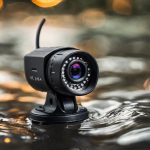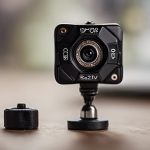

A router hidden camera is a surveillance camera housed inside an enclosure designed to resemble a wireless router or other networking equipment. Its purpose is to blend into a room rather than attract attention like a conventional security camera. Depending on the design, the device may be a functioning network product with an integrated camera, or a nonfunctional housing used only to disguise the camera and its electronics. Learn router concealment methods that reveal which specific miniature camera types are commonly embedded in network devices.
These products can support legitimate security purposes, but their concealed form also creates significant privacy and legal risks. Before buying or installing one, consider where recording is allowed, who may be captured, how footage will be protected, and whether a visible camera would be a more appropriate choice.
How a router hidden camera works
The camera lens is usually positioned behind a small opening, vent, or decorative grille. The enclosure may contain a miniature camera, microphone, storage, wireless hardware, and power components. Some devices connect to a local Wi-Fi network for remote viewing, while others record to a memory card and are reviewed later.
Setup is generally similar to that of an ordinary IP camera. The device is connected to a network, paired with its companion application when applicable, and configured for recording, motion alerts, or scheduled operation. Power may come from a mains adapter, an internal battery, or another wired connection. A concealed design does not automatically make a camera wireless or battery powered, so placement still depends on the product’s actual hardware.
Features worth evaluating
The router-style enclosure should not be the main purchasing criterion. Image quality, reliability, security, and storage are more important than how convincing the disguise appears.
- Video quality: Check the sensor resolution, frame rate, low-light performance, and image-compression quality. A higher resolution alone does not guarantee useful footage.
- Field of view: The housing may limit the lens angle or partially obstruct the image. Confirm that the intended area can be covered without placing the camera in a privacy-sensitive location.
- Recording options: Local memory provides direct control over recordings, while cloud storage may offer remote backup. Cloud services can involve account requirements or recurring fees.
- Motion detection: Activity-based recording can reduce unnecessary footage, but false alerts may occur because of changing light, pets, or movement outside the area of interest.
- Night visibility and audio: Infrared illumination and microphones may be included, but both features require additional privacy consideration and may be subject to separate recording rules.
- Device security: Look for the ability to change default credentials, use strong encryption, install firmware updates, and enable additional account protections where available.
Appropriate uses and practical limitations
A disguised camera may be considered for security monitoring in a shared living area, an entrance, a small business space, or another location where recording is lawful and proportionate. Some owners may also use a camera to check on property or pets while away. In many situations, however, a visible camera is preferable because it provides deterrence and makes monitoring clear to people in the area.
Router-style cameras also have limitations. The lens may have a narrow or poorly positioned view, battery models require charging, and inexpensive devices may deliver unreliable video or weak network security. A camera that depends on Wi-Fi can also be affected by connection problems. Test the device before relying on it for important security evidence, and use a recording method that will not expose footage unnecessarily. For more discreet viewing options beyond router disguises, explore compact designs that bring a friendlier touch to monitoring.
Privacy and legal responsibilities
Rules for video and audio recording vary by jurisdiction. The fact that a device is sold as a security product does not make every use lawful. Recording people in bathrooms, changing areas, bedrooms, or other places where privacy is expected is especially intrusive and may be illegal. Audio recording can create additional restrictions, particularly when people are unaware that conversations are being captured.
Before installation, check the rules that apply to your location and circumstances. Consider informing household members, tenants, employees, visitors, or other affected people when required. Do not use a concealed camera to monitor intimate activities, retaliate against someone, or collect footage unrelated to a legitimate security need. Keep recordings for only as long as necessary and restrict access to people who genuinely need them.
Protecting yourself from unwanted cameras
If you suspect that a disguised camera has been installed, begin with a careful visual inspection of unfamiliar electronics, vents, and small openings. Review the list of devices connected to your network for equipment you do not recognize, while remembering that a network scan may not identify cameras that record locally or use another connection. Lens-finding tools and radio-frequency detectors can provide additional assistance, but they are not guaranteed to detect every device.
In a private or sensitive area, document what you find without tampering with the device if doing so could destroy evidence. Contact the property owner, relevant service provider, or appropriate authorities according to the circumstances. Avoid confronting a suspected installer if doing so could put you at risk.
Making a responsible choice
Choose equipment from a seller that provides clear technical specifications, security documentation, update support, and understandable privacy terms. Change default passwords immediately, update the firmware, secure the associated account, and review who can access recordings. Most importantly, use the least intrusive monitoring method that meets the security need. A router hidden camera can have a legitimate role, but concealment should never override consent, safety, or the reasonable expectation of privacy.