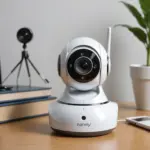

Two-way audio cameras combine live video with a microphone and speaker, allowing you to see what is happening and respond remotely. They can be useful for checking on children, communicating with a caregiver, monitoring pets, or keeping an eye on important areas of the home. Unlike a camera that only records sound, a two-way model creates an opportunity for immediate interaction through a mobile app or monitoring station. Two-way audio cameras make nanny cams and pet monitoring more interactive through remote listening and speaking.
How two-way audio works
A camera with two-way audio captures sound through its microphone and sends it to the connected app. When you speak into the app, your voice travels back to the camera and plays through its built-in speaker. Depending on the device, communication may work like a telephone conversation, allowing both people to speak at once, or like a walkie-talkie, requiring each person to take turns.
This feature can be helpful when a child needs reassurance, a caregiver needs to receive a quick message, or a pet responds well to a familiar voice. It should be treated as a supplement to in-person care rather than a replacement for supervision or attention.
Features worth comparing
Image quality is only one part of choosing a useful camera. Pay particular attention to the way the device handles sound and remote communication.
- Microphone performance: Noise reduction and a microphone that can pick up quieter sounds may make conversations easier to understand.
- Speaker clarity: A distorted or quiet speaker may be difficult for a child or caregiver to hear and can startle an animal.
- Audio delay: Lower latency generally makes remote conversations feel more natural. Check whether the camera supports simultaneous speech or push-to-talk communication.
- Volume controls: Adjustable microphone and speaker levels help you adapt the camera to a bedroom, play area, or quieter pet space.
- Connection reliability: The camera depends on its network connection for remote access. Consider how it behaves if the signal weakens or the internet connection is interrupted.
- Storage choices: Review whether recordings are stored locally, in the cloud, or through another method, and understand any account or subscription requirements.
- Security settings: Use strong, unique account credentials and enable available security features. Keep the camera’s app and firmware updated.
- Alert controls: Motion and sound notifications should be adjustable so that you receive useful alerts instead of constant interruptions.
Placement for childcare and family use
Place the camera where it provides a clear view of the area you actually need to monitor. A playroom or shared living space may be more appropriate than a private area. Keep the lens unobstructed and position the microphone away from televisions, fans, air vents, and other steady sources of noise.
Before relying on the camera, test it from the locations where you expect to use the app. Confirm that you can hear ordinary speech, that your voice is understandable through the speaker, and that the camera does not create distracting feedback or echo. If several adults use the system, make sure everyone understands how the audio controls work.
Placement for pet monitoring
For pets, position the camera near a bed, crate, feeding area, or other place where the animal spends time. Mount or place it securely so it cannot be knocked over, chewed, or pulled down. The speaker should face the area where your pet is most likely to hear it clearly. Two-way audio cameras make pet monitoring options more interactive when you need to check in remotely.
Introduce the audio feature gradually. Speak briefly and calmly, then observe your pet’s reaction. Some animals may find a disembodied voice reassuring, while others may become confused or anxious because they cannot locate the source. Avoid using the speaker repeatedly to issue commands or interrupt normal behavior. If the animal shows signs of stress, stop using the feature and rely on passive monitoring instead.
Consent, privacy, and responsible use
Audio monitoring can raise more serious privacy concerns than video alone. Rules about recording conversations and obtaining consent vary by location, so learn the requirements that apply where the camera is used. When caregivers, household staff, or regular visitors may be recorded, explain the camera’s purpose and whether audio and video are stored. Two-way audio becomes especially useful when pet camera apps let owners reassure animals remotely during stressful moments.
Point cameras only at areas you have a legitimate reason to monitor. Avoid capturing neighboring property, shared spaces outside your control, or private areas where monitoring is inappropriate. Limit access to trusted users, review account permissions, and remove old recordings that you no longer need.
Remote speaking is most constructive when it is used for reassurance, a brief practical message, or a genuine safety concern. Constantly listening in or directing someone’s behavior can damage trust, even when the technology makes it possible.
Troubleshooting common problems
- Echo or feedback: Lower the speaker volume, increase the distance between the camera and your phone, or enable noise reduction if available.
- Delayed conversation: Check the network connection and avoid speaking over the other person if the system uses push-to-talk communication.
- Unclear sound: Clean the microphone and speaker openings, move the camera away from background noise, and adjust sensitivity settings.
- Connection dropouts: Check the camera’s signal strength, update the app and firmware, and test the device again after improving its network position.
- Too many alerts: Narrow motion or sound detection areas and reduce sensitivity until notifications match the activity you care about.
Making the most of a two-way camera
The best setup balances useful awareness with respect for privacy and personal space. Choose a camera with clear audio, dependable connectivity, and controls suited to the people or animals being monitored. Test the system before you need it, explain its use to affected adults, and use remote communication sparingly and thoughtfully. Used this way, two-way audio can add a practical sense of presence without turning monitoring into constant intrusion.