
An indoor security camera can help you keep watch over entrances, living areas, pets, children’s rooms, or a home office. The right choice depends on what you need to monitor, how discreet the device should be, how footage will be stored, and whether the camera’s audio and video features comply with local laws. For readers focused on Indoor Security Camera setups, review discreet lens types to identify suitable covert surveillance options.
Why use an indoor security camera?
Indoor cameras provide focused coverage where outdoor equipment cannot. They can complement door locks, motion sensors, and exterior cameras by monitoring activity inside the property. Common uses include checking on pets, viewing an entryway, keeping an eye on a nursery or play area, and protecting a home office or room containing valuable equipment.
Most indoor models are designed for relatively easy installation and ordinary household conditions. Compared with outdoor cameras, they generally do not need weather-resistant housing, but they still require careful placement, dependable power, and secure handling of recorded footage.
Types of indoor security cameras
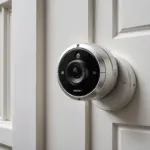
Visible Wi-Fi cameras
Wi-Fi cameras are popular because they can stream video to a phone and may support cloud or local recording. A visible camera can also act as a deterrent, while features such as motion alerts and two-way audio make it useful for routine monitoring.
Discreet or disguised cameras
Some cameras are designed to be less conspicuous or integrated into everyday objects. These may be considered when an unobtrusive view is important, but concealment does not remove privacy or consent obligations. They should never be used in areas where people reasonably expect privacy, such as bathrooms or changing areas.
Battery-powered and compact models
Battery-operated cameras are flexible because they can be placed without installing a nearby power cable. Their main limitation is the need for regular charging or battery replacement. Compact models can be useful for temporary monitoring or travel, although small size may involve compromises in recording time, image quality, or available features.
Wide-angle and dome-style cameras
A wide viewing angle can cover more of a room from a single position. This is useful in larger spaces, but a wide-angle lens may make objects at a distance appear smaller. Check the camera’s actual viewing area and place it so that important zones are not hidden by furniture or walls.
Features worth comparing
- Image quality: Choose a resolution that makes people and activity easy to identify in the intended viewing area. A 1080p model is a practical starting point for many indoor applications.
- Low-light performance: Infrared illumination or a capable low-light sensor can help when a room is dim or dark. Check whether night viewing produces a usable image rather than relying only on marketing terms.
- Motion detection: Adjustable activity zones and alert settings can help reduce unnecessary notifications caused by routine movement, pets, or changing light.
- Audio: Two-way audio can be useful for communication, but audio recording may be subject to stricter consent rules than video.
- Storage: Review whether footage is saved to a memory card, another local device, the cloud, or a combination of options. Consider access controls and how long recordings are retained.
- Power and mounting: Hardwired cameras are suited to continuous operation, while battery models offer easier repositioning. Magnetic mounts can make adjustment simple, provided the camera remains secure.
- Smart-home compatibility: If you already use connected devices, confirm that the camera works with the system and alerts you actually rely on.
Placement and installation tips
Start by identifying the area that needs coverage rather than choosing a position based only on convenience. Entry points, hallways, shared living spaces, and home offices are common locations. Place the camera high enough to reduce accidental obstruction, but keep it within reach if you need to reset, charge, or adjust it. For more discreet monitoring options, explore compact indoor devices designed to blend naturally into everyday surroundings.
A nursery camera should provide a clear view without being positioned where it can obstruct normal activity. For pets, aim toward frequently used areas or feeding stations. In a small business or home office, position the device to cover important access routes while limiting unnecessary recording of people who do not need to be monitored.
Before finalising the installation, test the image during both daytime and low-light conditions. Check for glare from windows, reflections, blocked views, and blind spots. Use a stable power connection for cameras intended to operate continuously, and protect cables from being pulled or chewed.
Privacy and legal responsibilities
Recording rules vary by jurisdiction and by the relationship between the person recording and the people being recorded. Video and audio may be treated differently, and additional requirements can apply in workplaces, rental properties, caregiver situations, or shared homes.
Do not record in locations where people have a reasonable expectation of privacy. Tell household members, guests, employees, or caregivers about monitoring when required, and check local law before enabling audio or using a hidden camera. Keep access to recordings limited, use strong account credentials, and remove footage when it is no longer needed.
Visible or discreet: which approach is better?
A visible camera is generally the clearer choice when deterrence and transparency are priorities. A discreet camera may provide an unobtrusive view, but it introduces greater privacy, consent, and tampering considerations. The best option is the one that matches the monitoring purpose without collecting more footage or audio than necessary.
Before buying, define the room, viewing range, lighting conditions, recording method, power source, and privacy requirements. Comparing those factors will help you choose an indoor security camera that is practical, reliable, and appropriate for the people and spaces it records.