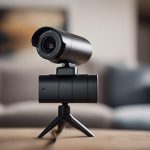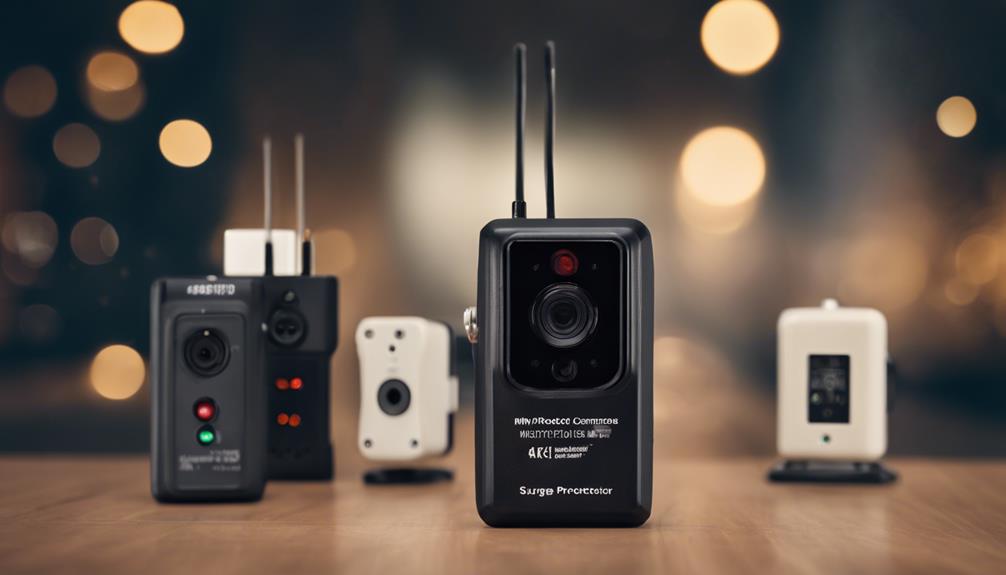

A Waggle Pet Camera is designed to help pet owners check in, communicate with their animals, and provide simple interaction while they are away. Unlike a concealed spy camera, it is an openly visible device built around pet care. Its value comes from combining monitoring with features such as live video, two-way audio, motion notifications, and treat dispensing. Pet owners choosing a Waggle Pet Camera should compare miniature lens types to match surveillance needs.
What a Waggle Pet Camera is designed to do
The camera’s main purpose is to give owners a view of what is happening at home and, in some situations, let them respond remotely. Depending on the model and service configuration, common features may include:
- Live video streaming for checking on a pet during the day
- Night vision for monitoring in low-light conditions
- Two-way audio for speaking to or soothing an animal
- A treat dispenser for occasional rewards
- Motion and sound alerts sent through a companion app
- Cloud or local recording options for reviewing selected footage
These features are intended for everyday pet monitoring rather than covert observation. The camera can help an owner understand whether a pet is resting, active, unsettled, or engaging with another animal, but it should not be treated as a substitute for in-person care when an animal needs attention.
How it differs from a hidden camera
Hidden or disguised cameras are generally chosen for discreet observation. A Waggle Pet Camera takes the opposite approach: its presence is visible, and its design focuses on interaction. The app, audio function, alerts, and treat dispenser are more relevant to pet owners than concealment.
When comparing this type of device with other camera categories, start with the purpose of the installation. If the goal is to interact with a pet and check its wellbeing, a visible pet camera is the more appropriate category. If the goal is discreet monitoring, a pet-focused camera may not provide the capabilities or design that matter most.
Useful situations for pet owners
A pet camera can be helpful in several ordinary household situations. Owners may use live video to check on an animal during a workday or to see how a pet behaves after being left alone. Two-way audio can provide a familiar voice, although pets respond differently to sounds from a speaker and may find them confusing.
The camera can also support basic, consistent reinforcement. For example, an owner might use the treat dispenser to reward calm behavior. In a home with multiple pets, recorded clips or live viewing may help reveal patterns in play, tension, or competition for space. These observations can be useful, but they should not be used to diagnose a medical or behavioral problem without appropriate professional advice.
Installation and placement tips
Setup generally involves connecting the device to the home Wi-Fi network, installing the manufacturer’s app, and choosing a stable location. Place the camera where it has a clear view of the area your pet uses most often. A position near the animal’s eye level can produce a more natural perspective, while a higher position may provide a wider view of a room. For privacy-conscious pet owners, compare Waggle’s monitoring features with discreet observation technology covered in our related article.
- Avoid direct sunlight, strong reflections, and locations where glare could obscure the image.
- Keep cables and the camera itself out of reach of pets that may chew or knock over equipment.
- Place the unit on a stable surface, particularly if it includes a treat dispenser.
- Leave enough open space for treats to land safely and avoid using treats that could create a choking risk.
- In a larger home, consider whether one camera leaves important blind spots.
Most pet cameras are intended for indoor use. Do not place one outdoors unless the manufacturer expressly identifies it as suitable for weather exposure.
Privacy and responsible monitoring
A pet-focused purpose does not remove the privacy responsibilities that come with using a connected camera. Household members and regular visitors should know where cameras are installed and when recording or live viewing may occur. Recording conversations or people in shared spaces can also raise legal concerns, depending on local rules.
Protect the camera account with a strong, unique password and enable two-factor authentication if the service offers it. Keep the app and device software updated, and review storage settings so that footage is retained only as long as necessary. Avoid placing cameras in areas where people reasonably expect privacy.
Troubleshooting and maintenance
Wi-Fi interruptions, delayed alerts, and treat-dispenser jams are common types of problems with connected pet cameras. If the connection becomes unreliable, check the home network and restart the camera and router. Delayed notifications may result from disabled app permissions, restricted background activity, or an unstable connection.
For a jammed dispenser, disconnect power before inspecting the unit and follow the manufacturer’s cleaning and maintenance instructions. Do not force treats through the mechanism or use cleaning methods that could damage internal parts. Regular software updates can also improve reliability and address security issues.
Is a Waggle Pet Camera the right fit?
A Waggle Pet Camera is best suited to owners who want visible, pet-centered monitoring with the option to interact remotely. Its strengths are convenience, reassurance, and simple engagement rather than concealment or full home-security coverage. Before choosing a model, compare video quality, audio performance, alert behavior, treat-dispensing reliability, storage arrangements, and account security.
With sensible placement, careful privacy practices, and regular maintenance, a pet camera can become a useful way to stay connected to an animal during the day while supporting safer and more informed care at home.